How to Hide Elements with CSS on Your Website

When you are running a business website, it is essential to keep it fresh-looking and up to date with the latest trends and UI implementations. Even if you have a top-notch theme right now, it will need a few tweaks here and there in the future. Learning to change specific key properties of the elements and how they are displayed will help when all you have to make is simple adjustments without affecting the website functionality. 

In that vein, here is a brief guide on how you can CSS hide elements on your website. 

Why Hide An Element?

Say you want to remove the header navigation bar on your casino blog. To do that, you may have to edit the entire theme and make sure all relevant references are adequately taken care of. This calls for a full-on enhancement task and subsequent regression testing to ensure nothing else breaks after removing the element. 

But why go through all the trouble when you can simply hide the element. You achieve the look you want without necessarily breaking down or changing a considerable part of your existing theme code. HTML hide elements properties provide a quick fix and are often used in cases such as:

  • Post level element changes such as hiding the comment section for a particular blog post 
  • Adjusting font or headline size for selective blog posts or web pages on your free theme
  • One-off case implementations where the rest of the website’s styling is not affected
  • Hide elements such as animations based on user preferences 

How To Hide Elements With CSS 

There are multiple ways to hide your elements using display CSS options without using any WordPress plugin. But before we list down these methods, there are a few considerations such as the layout, animation, performance, and event handling that you need to take care of before deciding to hide an element. 

  • Hiding elements can altogether remove the relevant animation.
  • Remember to take care of the accessibility options associated with the element if you will hide an element. For instance, even if you hide an image, the screen reader may read its alt text aloud. Use ARIA attributes such as aria-hidden= “true” for appropriate behavior. 
  • Handle any events associated with the hidden element. For instance, even if you have hidden a button, clicking on its area might induce a click event. 
  • Before you try to hide the element, locate the element and assign it to a class specifier to apply the CSS properties. You can use the inspect tool from the browser to find the particular CSS Id or class associated with the element. You can then make the property modifications to the corresponding CSS class to hide the element. 

Here are some of the methods you can use to hide HTML code using CSS:


Change Opacity To Completely Transparent 

opacity: N and filter: opacity(N)

These properties can be used to alter the transparency of the element. Setting them to 0 will make the object completely transparent. When you make an element fully transparent, it will be hidden from view on the page, but the associated events will still be used. 

Color 

The color property value consists of an extra field that can be used to set the alpha transparency for the element. All color properties such as the color, background-color, and border-color can be given values in terms of rgba (0,0,0,0). This value will render the element to be completely transparent on the page. 

You can also set the alpha transparency using values expressed in terms of transparent property,  RGBA values (red, green, blue, and alpha), HSLA values  (hue, saturation, lightness, and alpha), and in the format #RRGGBBAA and #RGBA. 

Using Transform Property 

The transform property can be used to skew the element and change its scaling. You can move the element offscreen by setting the value of scale to zero or the position to a negative value. 

.elem {Transform :scale(0) }

.elem {transform: translate (-999px,0);}

As you move the element out of the viewing area, the original layout will remain unaffected. And no events will be triggered as the element cannot be accessed from the rendered page. 

Use Clip-Path 

This property specifies a clipping region where the element will be visible. Setting it to zero value will hide the element. 

.item {

  clip-path: circle(0);

}

Using CSS Display Property 

CSS display none is possibly the easiest method as it removes the element entirely. Set the display property to none, and the element will not be rendered on the page. The existing layout will adjust itself. 

.item {

display:none;

}

Using Visibility Property 

The visibility property is similar to the display property, except that it does not remove the element from the page. You are just making the element invisible. Hence, the original layout will remain as it is while the element will be hidden from the user. When you apply this property, the child elements of the element will still be visible, whereas using the display properly will remove them as well. 

Hiding Elements On Specific Pages In WordPress 

Here are the steps to hide CSS elements only on specific pages on your WordPress site. 

  • Find the page ID of the page. You can get this information from the URL of the page. To see the URL, go to the Page list and hover over the page, and you can see the full URL in a tooltip. Alternatively, you can also find the ID by looking at the URL bar of the page preview or the Edit page window. 
  • Use the page id as the CSS class where you apply the property changes to hide the element. 

.page-id-number .item {

display:none;

}

You are done!

Conclusion

So, these are all the steps you need to adopt to hide elements with CSS on your website. Try the methods we discussed above, and do not forget to share your experience with us in the comments below.

Beginners Guide How To Create A Coming Soon Page In WordPress

There are multiple ways to build up a website and likewise several strategies and tools to promote and publicize your website. But have you ever thought about how to gather an online audience even before launch? This is conceivable by use of the coming soon page.

What Is A Coming Soon Page? 

The name itself is self-explanatory. Coming soon page gives an idea that something is in the offing. Precisely, it’s a page that gets live before your site. 

Every website aims at attaining higher traffic and conversion rates. Exciting your visitors and catching their attention plays a vital role to reach goals. Coming soon page helps you to acquire all these. 

Coming soon page for WordPress sites boost the leads.  You must not miss it as it is equally important as WordPress plugins, themes, and other vital tools. 

Coming soon page is the best way to publicize your coming soon service or product. It would be just to say that the WordPress coming soon page when designed properly with essentials like WordPress plugins, and WordPress themes is a sure way of having a win-win situation after launch.

Why Is Coming Soon Page Used? 

Want your business services to be introduced to netizens? Well, then the coming soon page must be your first choice. It will introduce you to your visitors and also you get a chance to have a connection with them on a personal level.

When people get connected with you even when your website is under construction they get an idea that your business is a legit one and it forms the basis of an outstanding reputation. 

Hype, praise, leads, traffic, conversions are all the metrics a web owner craves for. Coming soon page facilitates you to achieve all these and build upon them just before initiating your online project.

When you create a WordPress coming soon page for your upcoming website it ensures awareness of your product, service among the people. 

Every organization, business be it an online business or a physical one needs a marketing campaign to get a greater reach and there is no better tool than a coming soon page that acts as publicizing and marketing agent at the same time. 

It is useless to wait for your website to launch and then promote your service or product as doing so you will miss the opportunity to grow your brand at maximum. And this is because people set their motives when they first know about your product and the coming soon page helps you to bring up your product.

WordPress coming soon page not only helps visitors by delivering a preview of your site but also lets you know about user interest and their journey on your page. Having information about users’ interests is vital as it gives you an idea about areas of improvement and support to bring perfection to your content. 

Essentials Of A Perfect Coming Soon Page

Almost all the coming soon pages are the same. They have one common purpose to serve: to inform people about the upcoming launch. Besides this, there are many other roles a coming soon page can play if it encompasses the elements emphasized below.

  •  Countdown Clock:  Coming soon page is deemed incomplete without a countdown clock. It is a significant element that shows to its visitor the remaining time of launch and more importantly it helps to pull user’s interest. 
  • Social Media Accounts: Properly linking your social media accounts on the coming soon page proves fruitful to build an audience at a vast level. Social media is no less than the spine of the internet nowadays so you can’t afford to miss it.
  • Graphics: Visuals have the power to convey messages briskly. People understand your agenda, message through visuals easily. So quality graphics must be included in the coming soon page to give a perfect shape.
  • Call To Action(CTA):  Call to action buttons are necessary for the coming soon page to be successful. They excite the visitors to perform an action and convert them into users.
  • Product/Service Information: What your website will do? What service or product you will offer, mention these in catchy wording to win visitors’ confidence. Letting people know about your online business idea you’re going to start is a mandatory element and basic part of the coming soon page. 
  • Contact Information: This element may seem ordinary but has an extraordinary task to perform. Providing contact details on the coming soon page gives people a chance to get answered on queries they have related to your service. 

You have read must-have elements and their inclusion will get you a perfect coming soon page for WordPress’s upcoming site. You can always add other elements like email subscriptions, discounts on launch day, giveaways, and any and everything that suits your goals and product. 

How To Design A Perfect Coming Soon Page 

There is a vast availability of options to get yourself a good-looking coming soon page for your website. We have put down simple steps involved in designing a perfect coming soon page. Let’s get started

Picking A Suitable Tool

The first and basic step towards a perfect coming soon page is the decision of selecting a suitable tool. A suitable tool matches your budget, comforts you in a promising way to fulfill your goal. 

Largely coming soon plugins are used to initiate coming soon pages.  If you remain lucky with plugin choice then you are on the right way. Here you have to use your mind and make choices by keeping in mind your budget, goals, and business. 

We have seen that webmasters heavily rely on coming soon plugins like Minimal Coming Soon And Maintenance Mode, Coming Soon Page, And Maintenance Mode. But again you decide to make looking at your requirements.

Configuration Of Coming Soon Page

Done with picking plugin? If yes then you’re good to proceed further. Install the plugin and activate it. Once you are done activating your plugin you have to move into its setting section.

Every plugin’s setting section is studded with plenty of options. Here you’ll just have to work with the design tab. After selecting the design tab you have to set up your coming soon page using your creativity and keeping in mind your business. 

Most of your time is spent in the design tab and make sure you’re valuing and making the most out of it. Try to put in all the elements discussed above.  When you are done with customization of the page it’s time to check your page. Evaluate it to know if you are missing any information or making mistakes. If everything is looking pure then kudos to you as you are one step short of execution.

Final Step: Enable Coming Soon Page 

Is it looking all good to go live, good then jump into the settings section again? Here you will come across content screen options. 

Click it and checkbox enable the coming soon page option to let the spell begin. When your page is enabled make sure you will not remove it early and it doesn’t copy any other page. This lets you build the credibility of your platform. 

Be it clear that a small blog generating revenue, e-commerce site, real estate site, banking site, casino site, or site of any genre will crawl up in SERPs only when it has a perfect coming soon page to start with. 

Final Thoughts

Use your creativity and let your ideas lead you towards perfection. Do not copy others’ ideas and include all the essentials in your coming soon page. Make sure you get to publish your page before site launch to get the prestige and name.

Best Ways To Make Money With Your WordPress Blog

Most people give a lot of thought about starting a blog and give up in the middle. The reason is they can’t find a way to earn through them. They fail to monetize their blog. 

Often, blogs are not considered as a sure shot to earning money. However, the good news is, if executed rightly, you can actually make money blogging even in a short time. 

You can make it rank higher on search results with little effort. The key is to have a WordPress blog. Here is everything else that will surely help you monetize your WordPress blog and turn it into a sustainable online business. 

How To Make Money Blogging

Use Affiliate Links

This may sound too technical for the new bloggers, but you will get a hang of it when you look out for it. 

Affiliate links are links to products and services on third-party websites. On clicking, these links redirect you to another webpage. Adding these links to your blog content is a way to earn money. When any visitor visits that third-page webpage through your blog and makes a purchase, you get a small amount of commission. 

For instance, you have a WordPress blog related to fashion. You post a blog that mentions the best summer dresses. You also add the link to where you can buy these dresses (this could be linking it with Amazon, H&M). Thereafter, if a purchase is made after clicking on your link, you will receive the commission from the respective third party. You can also choose to get your entire blog sponsored by a third-party. For example, this website is sponsored by a casino group.

However, you will have to sign up for affiliate programs to receive a commission. To sign up for affiliate programs, visit the particular eCommerce site, and you will find a become an Affiliate option somewhere in the header or footer of the website. 

Some companies make use of affiliate networks that handle their affiliate programs. As a blogger, you can, in fact, join affiliate networks to apply for programs. 

After joining a particular program, you log in to your affiliate program account to get the affiliate links. Be mindful when adding links to your content text. The anchor text (the text that has been linked) should be related to the link that it will be redirected to. 

For instance, a link placed on ‘best black dresses’ should either redirect to a list of suitable black dresses or a marketplace from where they can be purchased. 

Adding Ads On Your Blog Site

Adding ads to your blog site is an excellent source of money. Most successful websites follow this method. But how can you make ads appear on your blog site? You can do so in three ways:

  • Creating your own ads through affiliate links

If you are very particular about your website’s aesthetics and don’t want it to be too flooded with ads, this option is better. It lets you place ads on your webpage according to your choice. 

  • Selling ad spots on a monthly fees

You can also sell the spaces of your webpage for a flat monthly fee to monetize WordPress. This means no matter how many clicks you get on the ad, and you will be paid a fixed amount as a commission.

  • Joining an ad network

Ad networks like Adsense and BuySellAds are ad networks that manage the ad spots on your website. They are responsible for displaying ads on your website relevant to your audience. 

Definitely, they would charge a part of your revenue from ads for their service. They may either generate revenue for you through pay per click or Cost per Impression. 

Write Sponsored Posts And Reviews 

Make money with a blog by writing sponsored posts. Sponsored posts are generic posts written on behalf of a company. These posts can be in the form of a review of their product or anything that helps in boosting their sales. 

How to get sponsored post offers? You can either approach companies to write a sponsored post for them or they may approach you for the same. 

How to write a sponsored post? 

  • The only key to writing a good sponsored post is honesty. Write an honest review, and if the need arises, review it after experiencing the product. 
  • Secondly, you must disclose to your audience that it’s a sponsored post. 
  • Also, ask the client if you can use affiliate links in the sponsored post as well. This will double your revenue generation chances. You will get paid for writing a sponsored post and earn through affiliate links even in the future as well. 

Sell Out Your Blog

As a long-term strategy, if your blog begins to monetize within a year or two, you can choose to sell your running WordPress blog to someone else at a much more price. 

Some bloggers and developers sell their fully developed and revenue-generating blog to people out there who are willing to buy them without going through the process of monetizing them. 

Where and how to sell your blogging site? There are marketplaces where buying and selling of websites take place. One such known service is Flippa, which deals with auctioning of blogs, websites, and apps. Once you enlist your website on such marketplaces, people place their bid on it depending on the category of your site (if it is at an initial stage, already monetized etc.). 

To get a good price for it, you can take the help of Google Analytics data that provides revenue reports of your website. These act as great proof of what your website is capable of in terms of profitability and stability. 

Conduct Giveaways

This seems out of context for someone struggling to make money out of a blog in the first place. However, giveaways help you gain more than what you lose. 

A giveaway may not be fruitful monetarily directly but acts as a means of driving your website closer to it. It helps in gaining more traffic, more views, and more clicks. For organizing a giveaway, you can either do it all by yourself or with a plugin.

When organizing a giveaway, keep it as organic as possible by selecting a random winner and making your entries aware of every step. Make sure you choose the steps involved in the giveaway carefully, like making entries follow you on various social media networks, liking and commenting on posts, answering a poll etc. 

Conclusion

Along with the above tactics, don’t forget about the basics to make money out of a WordPress blog, which starts with providing original and quality content, following proper SEO tactics, and engaging with your readers well. 

How To Run A Blog That People Want To Read?

Crafting a blog is a complicated process. Anyone interested in blogging requires passion and time to create content that meaningfully engages the attention of your audience. With the number of blogs growing day by day, it has increasingly become a challenge to develop new and original content. 

In this article, we have listed 7 practical ways to meaningful content creation that are likely to attract more readers to your page. These strategies are long term tools that will help save time and effort when it comes to planning your content. 

How To Create Blog Content

Engage With Your Readers

One of the best ways to come up with new blog ideas is via interaction. This is crucial if you wish to make content that rings true with your readers. You can actively engage with your reader by interacting with them in the comment section or on other social media platforms.

Alternatively, you can closely monitor the content they interact with the most and plan your content strategy accordingly. As a blogger, it is vital that you stay on top of what your audience wants and likes to read. This makes your content centered on your target audience, attracting new and regular readers to your blog.  

Research, Research, And Research!

One of the hallmarks of being successful at blogging is research. A well-researched article is likely to perform better over a poorly-written article. It is advisable to review existing work on the content you plan to post to know what has already been spoken for.

Conducting preliminary research helps in original website content creation and ideas that explore something new and exciting. This process is known as content curation. Doing proper research also eliminates the chances of accidental plagiarism and keeps your content fresh.

Make Your Content Lucid And Digestible

When writing a blog piece, it is vital to keep the language simple and easy to understand. This makes your content easy to access and open for a wide range of readers.  Edit your work in such a way that you eliminate densely written sentences. You can make your content engaging by using various tools to break up the text, such as quotations, images, subheadings, and lists. For instance, this casino website ticks all the right boxes to keep content simple and engaging.

Keep A List Of Ideas 

It is advisable to keep a running list of ideas you would like to work on for your blog. You can get ideas for blogs anytime, so it is best to have a plan on your phone where you can immediately jot down ideas. This can be synced to your work laptop or PC for easy access while working. 

Explore the content produced by the best websites online, be it news articles, videos, and other blog posts. Keeping tabs on popular and trending helps you create time-sensitive blog pieces, which are likely to gain more traction. Additionally, having an updated list of ideas enables you to keep up with your posting schedule and makes sure that you never run out of ideas. 

Maintain A Regular Posting Schedule

Having a strict posting schedule is a critical metric for anyone who wants to create greater engagement on their blog. With a regular posting schedule, which can be daily, weekly or monthly, your readers can anticipate when your content will come on the blog. 

Furthermore, this will allow you to plan your posting schedule and stick to it. By keeping a regular calendar for content, you can plan out content for special occasions and holidays. A content calendar is a useful way to organize your blog ideas- you can write down your blog ideas manually in a diary planner or online tracking apps. 

Make SEO Your Guiding Tool

SEO is the most important tool in your social media toolkit to make your blog content visible on the internet. It is essential to frame your content in such a way that makes it searchable on the internet. This means that your content has to be optimized for search engines like Google and Yahoo using popular keywords and hashtags. 

You need to think of ways people can and will search for your content. You can include important keywords in the titles and subheads of your article and use image title attributes to make it easily searchable on the web. Creating compelling titles and using keywords in your content boosts your SEO. 

Analyze Content Performance

Once you have an online content strategy in place, it is time to analyze how your work is performing. Analyzing your content helps determine what is working and what is not. Monitoring how readers engage and interact with your content can help you ideate more content for your target content. It gives you a fair idea of what your audience enjoys reading. With a thorough analysis, you can improve your SEO skills and marketing and advertising strategies for the content. 

Conclusion

Attracting new visitors and maintaining your existing audience is tough, but you can surely keep smooth traffic of visitors coming to your blog with these successful blog tips. We hope you use these tips to help you organize and curate your content for maximum engagement and traction on the internet.

7 Online Business Ideas Anyone Can Start

According to a survey, 319 million people joined the internet in the last 12 months. Internet users are growing at a fast pace with roughly 875,000 users every day. 

So it would be just to say that it is the golden era of the internet.

More than half of the world is online, and with every passing day, an online presence is increasing and it is the ideal time to initiate a business online. Undoubtedly, it is tough to start from scratch and at times you may be easily confused. Because according to a survey report there are over 24 million online stores all over the globe and surely will face a perplexing situation. Our list of 7 online business ideas will help you get out of this because all discussed ideas are legitimate and anyone can start them.

What To Keep In Mind? 

Planning is mandatory for every type of work. But planning is among other important elements that need to be taken care of. While starting a business you have to look into the minimum investment it demands. If you are unaware of it and get started right away, then you’ll be going to face a complicated situation. So it’s favorable to decide finances needed for the well working of your business.

Skills mean a lot in running a business. You must acquire the crucial and essential skills required for smooth working. There is a good chance you may know them, in another case you can learn anytime. If your back work is strong and fully supports your plan then you’ll get promising outcomes. This Casino website is working exceptionally well as they have taken care of everything.

Let’s get started with our list! 

1. Become An App Developer

Mobile applications appeal to users greatly and help to catch more users. Big businesses and organizations prefer mobile apps to assist their users as easily as they can. And this is where the app developer gig comes to play.

You can offer your expertise to organizations and earn a handsome amount of money. If you carry the techniques then you will be more than satisfied with your work.

There is a chance you may not have skills and possess an executable idea. In this case, you can always collaborate with developers to have an app of yours.

2. Audiobook Narration

Do you love to read? If yes, then this gig will suit you. People nowadays prefer ebooks and audiobooks. Gone are the times when people used to carry books while traveling. 

Audiobooks are preferred over ebooks as well. Before starting work you have to invest in recording equipment. Quality equipment should be your first choice. All you have to do is speak clearly into the mike.

It is preferred to rehearse several times to produce quality content. Ensure that you speak confidently into the mike. Clarity of words is crucial in audiobook narration and should never be overlooked.

3. Teach An Online Course

Learning and teaching is a never-ending procedure. If you have a command over any type of subject you can teach people about it online. 

You will be required to create a website first before initiating the teaching journey. Keep in mind to construct a well-designed website and believe it or not WordPress plugins make this difficult work easy. Your first post should be snappy, and engaging. Include your course details in the first post with attractive visuals to get attention from the audience.

Remember not to limit yourself to common subjects, you can educate about music, painting, academic subjects, photography, cooking and many more to name.  

4. Become A Website Developer

Every company, business is trying to establish an online posture, and websites are their way to step in. And this is where the Web Developer gig originates. 

If you have complete knowledge and know about all the technicalities you can work successfully in this realm. Remember, it is a tough job to do but if you accomplish the task like a pro you’ll enjoy the fame and bucks of course! 

Web developers use tools like plugins, themes to make their work easy and attain a wonderful website. Just like Nederlandse Gokkasten preferred visitor counter plugin, want to know why? Because they found a solution to their problems in an easy manner. So you also must consider using tools like these during this arduous task.

5. Proofreading

Are you a man of letters and have a promising grip over a certain language may it be English or any other. Then this gig is for you and will give you ample revenue.

Every piece of writing either it is on the internet or in physical form needs proofreading. Even ads on social media need proofreading. It will also help you to polish your skills.

Many online platforms are available which provide jobs to proofreaders. You can go there and start right away. Keep in mind to shine your capabilities and skills with each passing day.

6. Start A Blog 

If you want to produce something meaningful that can assist people in their everyday life, then start a blog. This will not only earn you a living but at some time you’ll be helping the masses.  

The blog is a long time play and needs handwork. A successful blogger is one who easily communicates his thoughts, ideas, feelings, and experiences in a simple yet lively manner. The blog will earn you revenue but with time. So don’t even imagine overnight success. 

Add a simple theme with key blogging plugins to add value to your blog posts. Compelling content will ensure more visitors to your blog so try your best to write compelling content.

7.Become A Self Publisher

You can now publish your work on your own via online platforms like digital download app or Amazon.

If your book gets good sales in the initial stages then Amazon will promote your work on its platforms which means greater reach and an increased chance of sales.

So if you have written your book then self-publish it now on Amazon and try your luck.

Conclusions

It’s a good time to start a business online. Hope you will pick an idea from this list to start.

5 Lessons You Can Learn from the Internet’s Most Popular Websites

Most great things have something to teach us. The same lies with the Internet’s most popular websites. They have become famous for a reason. In this article, we will delve deeper into what makes the Internet’s most popular websites unique and what we can learn from them. 

Most Popular Websites In The World

Keep It Short And Simple (Google)

Even though we sometimes get bored of the plain home page Google has, we are at the same time grateful it is kept that way. 

A minimalistic website design says more than an overstuffed home page design. Google’s user-friendly home page speaks volumes. Google is like a down to earth celebrity that stays simple even though it’s worth so much. 

Most of the search engine’s home page these days are flushed with links, images, plugins, and services to get more traffic, but Google has kept it simple. It only focuses on its search bar and three buttons, ruling the internet world with its simplicity. 

Takeaway: To make users focus on a specific feature of your site, keep the space away from all other distractions as possible. 

Be Fearless In Using Images (Apple)

Do you have a variety of products and services to offer? Don’t you know how to accommodate each of them on your home page? Just follow Apple’s footsteps. 

Apple has various products and services to offer, being one of the world’s biggest companies. Yet, it manages to keep its home page unique and easy to navigate using the right images. 

Pictures speak a thousand words, and the right placement is a key. Apple’s US website focuses on its most popular products with the help of sections. 

Sectioning each product type with big images keeps each of them unique and easy to follow through. Each image has a link that lets you know more about the product and buy it too. 

Takeaway: Using high-quality pictures on your site is a great way to get attention to your products and services. However, make sure using them should not slow down your site. For this, follow appropriate measures like lazy load images and other tactics to keep it balanced. 

Easy To Navigate (Target)

If you have an eCommerce store, learn from Target.com how you can make it easy to navigate. 

An eCommerce site has a variety of products to display. How is it possible to make it easy to navigate without making it look cluttered? Some of the eCommerce stores are mastering the UX perfectly, making it smooth for users to find a specific product with ease. One such online store is Target.com.

It follows a straightforward approach when it comes to navigating product categories. 

Takeaway: Start with sectioning your products on your WordPress theme. It is also essential to provide each ‘product type’ section enough space to make it easier to lookup. No matter the pages become longer to scroll down to, it is better than a fussy and cluttered eCommerce site. 

Be Colourful And Bright (Adobe)

Adobe plays with colors in the best way possible. Adobe’s website flaunts some excellent design choices, making clients fall for them every day. 

The layout is uber simple and yet visually attractive, crisp, and clear. Each section is placed wonderfully, attracting your attention through a stark set of colors that best describe the features. 

Takeaway: playing with colors is an art not everyone can achieve. However, take inspiration from Adobe on how to use different colors on your website without overdoing it. Colors can help in focusing better and gain attention instantly. Use the same color pallet throughout the website with hints of some contrasting colors here and there. 

Be Good In Taxonomy (Healthline)

Take inspiration from Healthline if you have a blog. Healthline has a diverse set of menus to browse, and it handles it in the best way possible. It not only has a primary navigation menu that lets you search alphabetically but also makes use of some featured topic section you can dive into instantly. 

Takeaway: If your blog niche is not wide enough and you find it challenging to put your blogs to categories, taxonomies is a way to make it easier for users. Find other ways to classify your content according to Editor’s pick, most popular picks, or something that is trending. If your blog is not as detailed as Healthline and you don’t post often, placing it all out in a platter in a smart way is a good idea. 

Flaunt Your USP (Airbnb)

Your unique selling proposition should be where your visitor’s eyes are at. For instance, Airbnb focuses on providing a unique experience to its users rather than just letting them book a stay. 

As soon as you enter the location you are looking forward to visiting, Airbnb makes sure you get the swoon-worthy listing. It makes this possible by showing vibrant images of places to stay in, which everyone has on their bucket list, along with a detailed description. 

The call to action is just perfectly placed, and so are navigating reviews. 

Takeaway: To take inspiration, learn how they make it possible to add every information a visitor needs through icons, photos, plugins, interactive forms, etc. Include every possible information and yet keep it comfortable to read by sectioning it in paragraphs. 

Your Turn

So, if you are a web design and development company, take clues from the lessons we discussed above, and execute them effortlessly. Don’t forget to share your experience with us in the comments below.

 

List Of Top 5 Amazing WordPress Popular Post Plugins

If you have been on WordPress for a long term then for sure you will be having a large library. Now, you want new visitors to directly access your valuable content but don’t know how! Due to voluminous information on your website a user may find it difficult to reach the best content.

One way to solve this problem is to create a list of your top content produced overtime at easy-to-find places like the homepage. You can choose to add the top post of the week or month in any section of the website. This will help you to get more traffic and conversion rates just like resenas de casinos did.

The best and easiest way is the use of popular post plugins. Like other plugins, they help you to perform easily.

A Brief Introduction To Popular Post Plugins

Popular post plugins have a simple function to perform as intended from their name. All they have to do is display your top posts in the form of a list or widget on the homepage of your website and can also be implanted into other webpages as well.

They offer your users the top and valuable content of your website. That, in turn, helps you to garner more audience towards your website.

It’s time to move towards the list of top 5 amazing WordPress popular post plugins!

1. MonsterInsights

MonsterInsights is the best in business and is helping more than 2 million websites worldwide. It is a feature-rich plugin that not only entertains you with a popular post feature but also enables you to set up Google Analytics without any sort of coding.

You can choose to showcase your popular posts anywhere on your website. If you wish to display your top posts at the sidebar or at the end of your article you can use the popular post widget for this purpose.

Another mesmerizing element about this plugin is that it lets you display your top-performing products anywhere you want on your e-commerce website. Also, it offers you to choose from different themes and can customize popular post widgets.

2. WordPress Popular Post

WordPress popular post is another excellent plugin that allows you to share your popular posts with other exciting features. It has more than 300,000 active installations at this time.

You can display your popular posts on your website with a different number of conditions. You can showcase popular posts by selecting a date range also you can choose to display the most viewed or most commented articles published as well.

It is multi-widget capable which means you can display the same widget multiple times at the sidebar of your website. It also enables you to show the excerpts, post thumbnails, number of views, comment count, and many more.

3. Display Posts

Display Posts is a popular post plugin that lets you show your popular posts by formulating your queries using shortcodes. You can effortlessly display your top articles anywhere on your website using shortcodes.

It has the potential to work with other plugins such as shared counts. It facilitates you to filter your posts by category. While displaying your top posts you can include post thumbnails, author avatars, excerpts, and many more. To get you on track straightaway you can avail yourself of detailed documentation and tutorials. Let it be known that display post is an extremely flexible plugin when it comes to popular post plugins.

4. WP – PostRatings 

Wp-PostRatings makes a place on the list due to its friendly interface. You can easily display your popular posts on the website. It allows the user to rate your articles.

You can choose who can rate your articles(logged in users vs all) and can also add rating icons. This plugin is highly customizable.

The feature that makes this plugin different from others is that users rate your posts and then you can display them as popular posts. This not only shows the confidence of your users but also helps you to get more reads and a better conversion rate as well. So popular posts here are the ones with more user votes instead of the ones with more page views or comment count.

5. WP Tab Widget

WP Tab Widget is a user-friendly plugin that is extremely fast and lets you display your popular posts on your website.

You can show articles based on comments, page views, tags recent posts in a single widget. The best thing about this plugin is that it doesn’t affect the speed of your website. It loads the article only when a user clicks on the tab. Along with this, you get different customization options.

Conclusions

If you are working for a long time on a WordPress website then consider using popular post plugins for improved web performance now. This not only helps you to create an impact on new users but also gets you more traffic as well. You can choose the plugin that well suits your budget. Hope this article helped you to get the best popular post plugin! 

Understanding The Image Title Attribute WordPress

Like a visitor counter is necessary to keep track of the website visitors, an image title attribute is essential to optimize your website images. Here is an in-depth insight into the image title attribute and its importance for SEO Let’s check out. 

What Is Image Title Attribute WordPress?

First things first, let’s know what an img title attribute is. An image title attribute is different from the image file name and alt image title. 

An image title attribute is like a small title to any image. As you hover the cursor over an image, you will see a popup that includes a short description of the image. Not all browsers support the title tag feature, so you won’t always see a title tag of an image when you hover your cursor over it. 

However, it is super easy to add an image title to an image. Here is how you can do it in your WordPress dashboard. 

As you add an image to your document via the WordPress media library, you will find vacant fields on the right side of the screen. You will find an alternative text field, title field, caption, description, and so on. Look for the title field and add a suitable WordPress image description. You can even add an image title attribute to your website logo.

Impact of Image Title Attribute on SEO

There is a lot of confusion when it comes to the importance of image title attribute with respect to SEO. While many believe that it is an excellent way to incorporate keywords, others say that search engine bots cannot even crawl it. 

The bottom line here is that the image title attribute doesn’t impact the ranking of your website directly. Thus, adding an image title attribute to your images may not have a significant impact on the visibility of your website in search engine results. 

However, the truth is that adding it won’t harm your website from an SEO point of view. In fact, theoretically, adding an image title attribute is a practice recommended by Google. 

Advantages of Adding Image Title Tag

Well, even if adding an image title attribute does no good and may not be a direct ranking factor to affect SEO, it won’t do any harm either. Moreover, if luck is your side, search engine bots can actually catch the image title attribute keywords, and your image could be seen on Google image search results. 

Another major benefit you could more likely experience is improved user experience. Adding image title attribute indirectly influences SEO tactics like session duration, page views, dwelling rate, and others. 

Other Ways to Optimize Images

Relevant Images

Always put relevant images that go well with the content. For instance, check this casino website. You will find that not only the content is original, but images also vibe well with the content of the page. 

Image Placement

As lowly as that may sound but image placement is very important. Try placing the right image just below the content where the image is being talked about. Also, placing the most important image on the top of the page has its own benefits. 

Big No To Text Inside Images

Including text in images is a big no, especially if you have global audiences. Not all people could understand or access the text inside images, especially if it is in a language not known to them. Most translators won’t be able to translate the text inside images, thus hurting the user experience. 

Focus On Content 

It goes around in a full circle. You need to optimize images for optimizing your content and vice versa. Google ranks images based on content too. Therefore, providing high-quality content bagged with relevant images is a full package to consider. 

Using alt text or image title text is more preferable in such circumstances. 

WordPress Image Title Attribute Vs. Alt Title Attribute

Yes, both image title attribute and alt title attribute are different. Even if you have added a title attribute to your images, it’s still important to add an alt title attribute to them as well.

An alt title attribute or an alternative title attribute is like a parent of an image title attribute that describes the image in more words than an image title. The purpose behind using alt image description is to let the user know what the image was all about when the image fails to load. 

When an image fails to load, the alt text appears in its place, which provides the user with the idea behind the image and doesn’t spoil the content flow. You can add an alt title attribute in WordPress, same as the image title. 

It more important to include an alt title attribute to an image, thus improving the website accessibility. It should just not be replaced with an image title attribute. Both should be written diligently that could best describe the image graphics. 

The Wrap Up

As you can see, an image title attribute shows up when someone hovers on the image, provided that their browser supports this attribute. Although it doesn’t impact your SEO rankings noticeably, it doesn’t harm either. So, it is a good practice to optimize your images using an image title attribute. 

What are your views on this? Do you include it in your images? Let us know in the comments below.

Best Christmas Plugins Your Website Needs This Christmas

The festive season is here and don’t you have to join your visitors in their celebrations? Adding holiday decorations to websites is a creative way to induce some seasonal engagement and excitement in your target audience. 

Whether you run an online casino or a personal blog, adding Christmasy vibes to your websites can go a long way in keeping users hooked.

But these decorations need not be a permanent fixture, and hence spending a lot of time and resources on developing them from scratch would not be very wise. Using plugins will significantly reduce the time to make the website changes.

So let us introduce you to some of the WordPress Cristmas plugins you can use to make your site more lively and ready for the festive season. 

Best Christmas Plugins

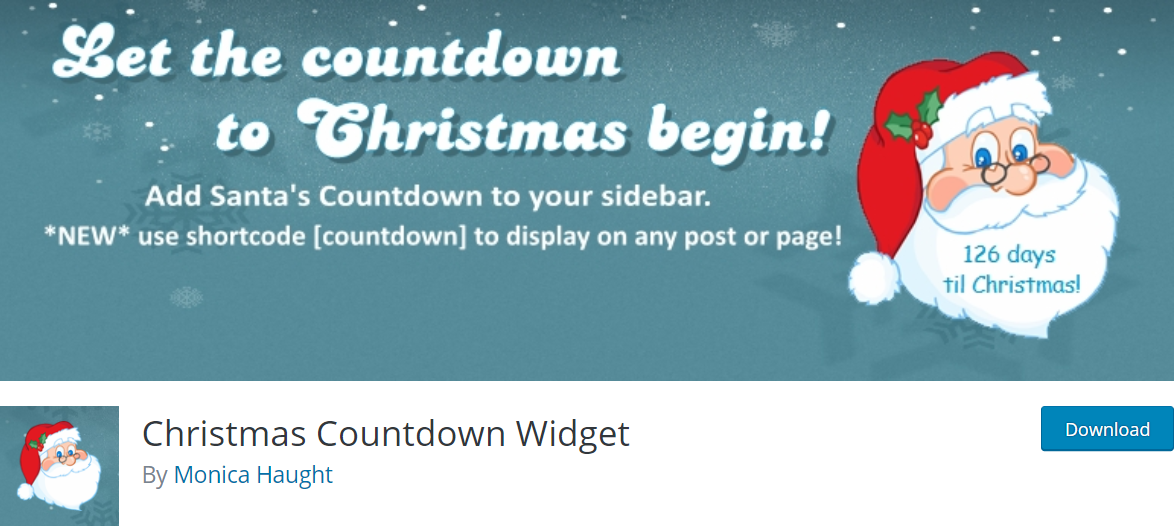
Christmas Countdown Widget

Countdown widgets are a great way to gear up for a particular event. When it’s a Christmas event, every day leading up to the big day can be made more exciting and eventful with this widget. This widget will display a cute Santa Claus animation counting down to Christmas day. The Christmas countdown widget can be placed on the sidebar and appears with a transparent background, making it suitable for any color scheme and theme style. 

On the day of Christmas, you can make it to show the “Merry Christmas” message, and the counter will automatically reset and start to count all over again until the next Christmas. So you can choose to leave it on your site all year round or display it only for the duration you want to. 

The installation and usage of this countdown to Christmas widget are straightforward and takes just a few clicks. You can also use the shortcode [countdown] to add the countdown to any post or page you want. 

The plugin is well maintained with regular updates and is available for WordPress versions 3.0 or higher. And what’s more? It is a free plugin that does not cost you anything to try. 

Christmas Music

Who doesn’t get reminded of sweet melodies and soulful carols when thinking of Christmas? Music takes you to your happy place and can easily set the mood for celebration. The Christmas Music is a free WordPress plugin that lets you achieve this pleasant festive mood for your website visitors. 

You can set it to play music for your entire website or just selective posts and pages as you like. The default music is a soft jingle bells melody, which can also be replaced with your own music files. 

Your visitors will also be able to pause or play the music with a pause/play button, which will be placed at the right bottom corner of the page by default.  

It also comes with an autoplay function, which may not be supported by the Mozilla Firefox browser. You also get options to:

  • Set the volume level
  • Choose the position of the play/pause button
  • Turn off autoplay if required
  • Add button animation and choose a custom style for the button

This is another free Christmas widget that can work with WordPress versions of 4 and above. 

Christmas Panda

Little things like adding a Santa clown, snow animations, and pop up messages can go a long way in providing the much-needed engagement visitors crave from websites. This plugin provides you with many such cute animations and visuals to relate with your visitors and remind them about the magic of Christmas. Some of the features include:

  • Christmas pop-ups
  • Snowfall animations
  • Christmas decorations

You can easily manage, enable, and disable these features as required. This free plugin works with all the latest WordPress versions starting from 4. 

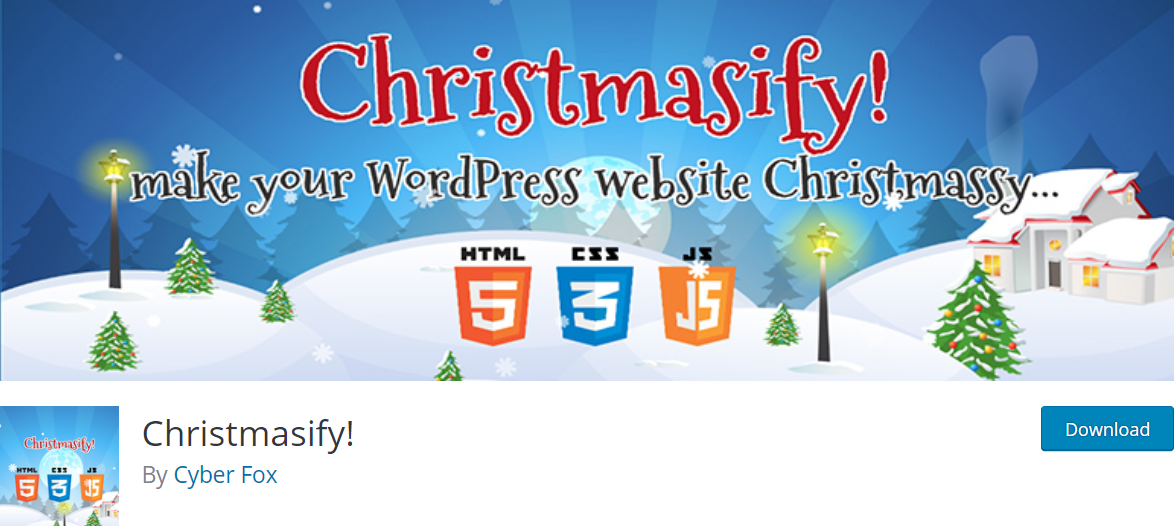
Christmasify

Similar to Christmas Panda, Christmasify also lets you add snow, Santa Claus, decorations, and additionally, Christmas-special fonts and music to your site. 

This is a wholesome plugin that can be effectively used to manage all aspects of holiday decorations, including the music typography of your website. But the only drawback is that the plugin lacks support for specific versions of the Internet Explorer browser. 

It uses CSS3 animations for snow, which is not supported by IE9 and also requires PHP 5.4 and above for proper functioning. It is incredibly lightweight and offers high performance but to achieve this; the developers had to lose support for IE8 and lower versions of IE. 

So consider using this plugin if your target audiences do not predominantly use IE browsers to access your site. If required, the developers can give you a JS snippet workaround to make the plugin work for certain browser clients. 

Despite the drawback of limited browser support, this free plugin is quite popular with 1000+ active installations. It works with WordPress 4.3 and higher versions. 

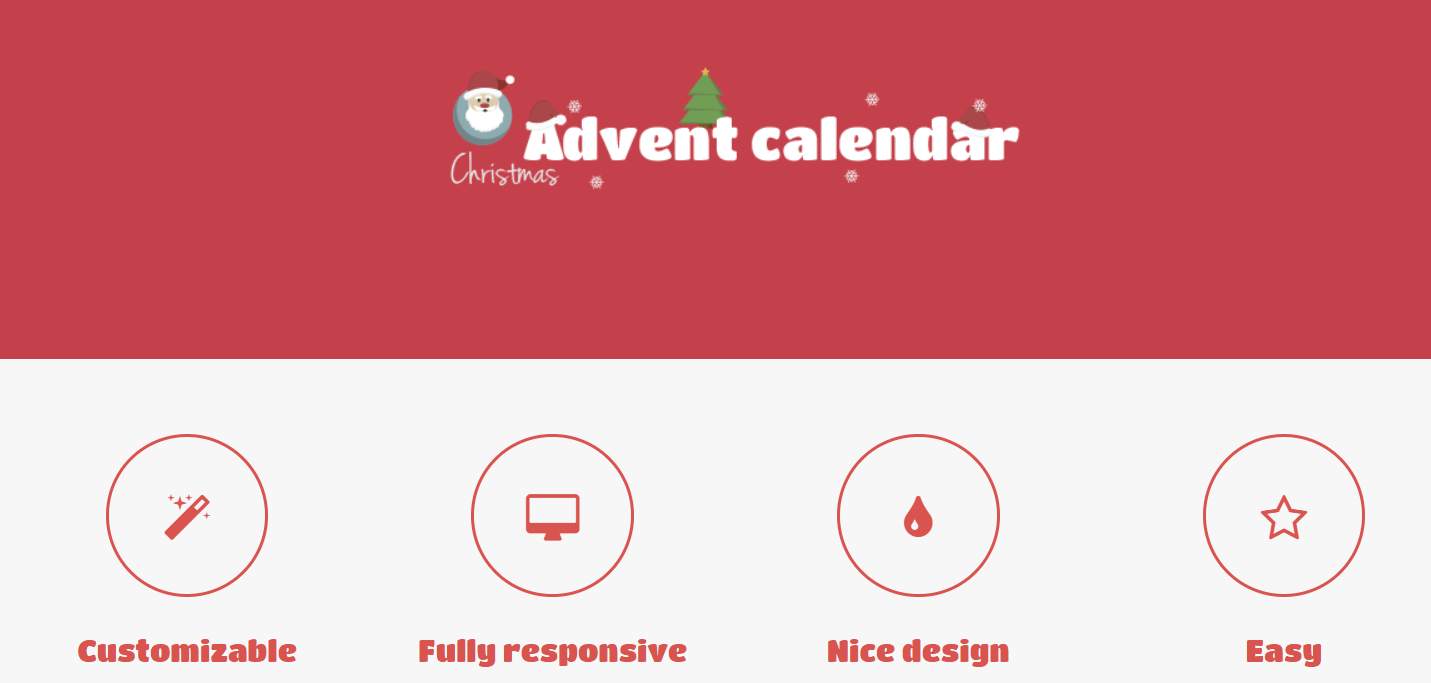
Xmas Advent Calendar

Xmas Advent calendar is a premium WordPress plugin that provides you with a customizable calendar to your site, complete with a gift feature for each day leading up to the event. You are allowed to make customizations to a great degree with options and features like:

  • Customize behaviors, colors, images, and so on
  • Fully responsive design that adapts to any platform and device
  • 30+ graphic resources with exclusive designs
  • Three types of modal content
  • Ten types of toggles
  • Six background  color choices
  • Options to set position for each day.
  • Options to set the image of the day. 
  • 8 modal headers
  • Snow animations
  • Easy to use admin panel
  • Easy support for multiple languages using .pot files
  • Short Code support 

The plugin supports all popular browsers.

Christmas 3D

Christmas 3D is a premium WordPress plugin priced at $17 that provides you with high-resolution 3D realistic graphics for decorating your website for the holidays. It can easily integrate with any site and provides smooth and crisp animations. 

Here are some of its notable features:

  • 15+ images
  • SMooth animations on page scroll
  • Cookies settings for showing animations only for the first instance
  • Hide button and custom styles based on session Cookies
  • IE11+ support
  • Fully responsive
  • Live Camera
  • Optimized code and high performance

This plugin comes from highly experienced developers and has been well tested for quality and performance. It supports all popular browsers. 

Merry Christmas

When you are running Christmas specific events and campaigns, you can make use of this plugin to design festive landing pages that help set the right mood. 

Merry Christmas is a highly optimized, responsive, and retina ready illustrated parallax theme that helps you make picture-perfect landing pages and special pages like 404 pages and forms. The theme also provides support for Contact Form 7. It is priced at $20, and you can check out the demo version to see if you like it. 

MMX – Make Me Christmas

snow plugin

MMX is a premium plugin available at the cost of $14. This plugin helps you add decorative elements like animations, images, and graphics like snowfall, Santa, Christmas tree, hangings, bunting, and more to any part of your website. Some of the features provided are:

  • Head items decorations like hangings and bunting (10 types)
  • Screen items like 10 types of snowflakes
  • Footer items like 10 types of the snowman, Christmas trees, a Santa Claus, and more
  • It also allows you to choose where to display the items, either on top of the content or as background. 

It works with all browsers that support CSS3 animations. 

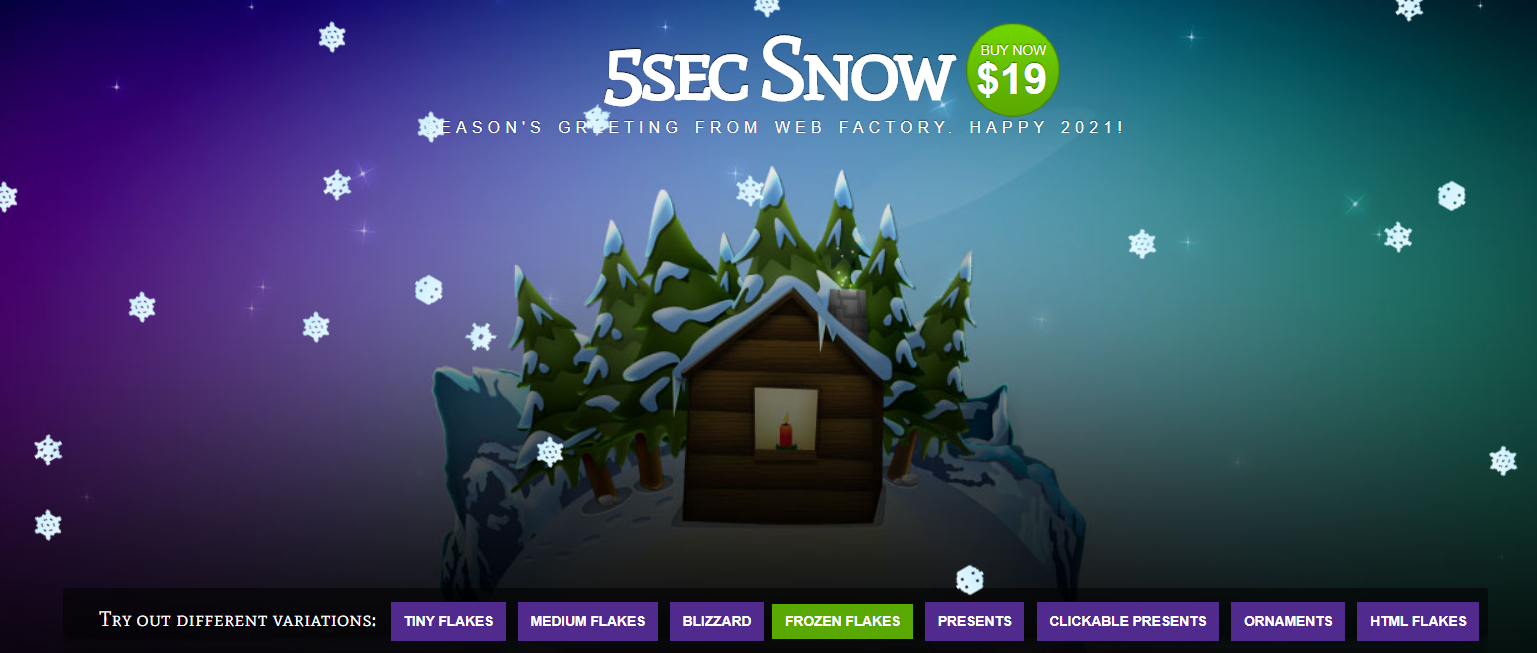
5sec Snow

5Sec snow is a popular premium snow plugin priced at $17 that gives a simple but powerful functionality that will suit giveaway sites and campaign pages the most. This plugin lets you add snowflakes and snowfall animations to your website and provides it with a WordPress snowfall effect with several customization options. You can add a link to each snowflake and add melting and rotating effects to add some realism. This is a highlight optimized plugin that takes up little space but packs in a quality functionality. As it is made of jQuery, it can be easily used with non WordPress sites as well. 

The Wrap Up

As you can see, from helping you create logos to allowing you to add Christmas decorations – there is a handy WordPress plugin for every task you have. Use these plugins and add Christmasy vibes to your websites now.


Every Little Thing About Domain Names

Often beginners just know that domain names are key to get aboard the internet. But how do they work? What steps to follow to bag a good domain name? What is DNS? 

Well, if you don’t know then no need to discompose yourself. Because if you are a beginner or not this blog will help you know every little thing about domain names. 

So let’s jump in!

What Are Domain Names?

 Specifically, domain names are addresses to a website on the internet. 

Consider this example to grasp the concept. Consider your whole region as internet with its main hospital as a website, then address to the hospital would be the domain name to reach the hospital(website).

In a nutshell, users can use domain names to reach you on the internet to communicate with you or avail of the information or services provided.

Anatomy Of Domain Names And Types 

 Well, domain names are usually combinations of letters, numbers, or letters only. 

It consists mainly of three parts.

 Let’s have a look at a hypothetical domain name:

          www.musicguru.com

 We have three parts here:-

  • Before the dot i.e. www
  • Between the dots i.e. musicguru
  • After the dots i.e. .com

 The last part “.com” is often called Top Level Domain (TLD)

There are different types of top-level domains that we commonly see on the internet such as: 

  • .com    commercial
  • .org    non-profit organization
  •  .gov    government
  • . net    network resources
  • .edu    education

They all serve different purposes as implied by their names.

You may also come across domain names like slots-and-onlinecasinos.co.uk. It reflects that the site is related to the casino industry and “.co.uk” in domain name means their target market is the UK .

Why Use Domain Names? 

Well, many people ask this question many times. 

And every time response is the same as usual that domain names ensure your existence on the internet and other than that they are human friendly. 

Computers usually use IP addresses to locate your website on the internet. IP is machine friendly strings that humans are unable to memorize because of their complexity. So domain names come into play their part here to make it easy for humans. 

We owe our existence on the internet and a user-friendly way of reaching bundles of websites to domain names which makes their role important in daily internet use.

You know that your successful online journey depends on a good domain name and the hosting provider you choose equally.

How Do Domain Names Work?

As mentioned above domain names are translations of IP addresses to human-friendly language. But how computers will get domain names because of their non-friendly machine nature. 

So the Domain Name System (DNS) takes care of this problem. DNS acts as an interpreter between user and computer. 

Domain Name System takes the asked domain name from the user, processes it through its servers which end up translating it to a relative computer-friendly IP address, and finally, the computer responds by showing the website associated with the asked domain name.

The above mentioned is DNS’s general framework. Four (4) types of servers help out to give users the asked website. 

Now we will look into these four servers one by one which is as follows:-

 DNS Recursor: When the domain name is asked, at first DNS Recursor responds to it. It checks if it already has the IP address of the asked domain or asked the other DNS server for it.

 Root Name Server: One of the important components of DNS root name servers answers the records from its root zone file. 

Top-Level Domain(TLD) Name Server: Top Level Domain Me Server aka TLD refers to the rightmost part of domain names like .gov, .com, etc. They give IP addresses against this part of the domain along with a second-level domain name.

Authoritative Name Server:  This server possesses the IP address translated from domain names and sends back so the browser can finally show the user asked website.

Well, this was the working of DNS. 

What Are Subdomains?

A subdomain is a domain within the primary domain. It may sound confusing to hear but not more when you look at:

     www.toys.onlinestore.com

In the above domain, toys are subdomain with an online store as primary or main domain and .com is the top-level domain.

Subdomains serve many purposes. They are often used by complex website owners to make it easy for users to navigate through their website. It is a need for a complex website to help out the users not only to facilitate them but also it results in saving valuable time as well. 

 Subdomains can be any combination of letters or numerics. If you want to have it for your website then you must ensure that it is easy to remember. Most specifically it should be related then it should be catchy and simple. Following these tips will get you help to pick a handsome one.

How To Choose a Domain Name? 

If you have finally made your mind to get your business, blog, an idea on the internet then there is a chance that you would be confused to choose a domain name. Some users make it tough for them to choose logos for websites as well but sticking with domains we gotta get going.

Well, no need to be as going with tricks in the coming lines will make your worries vanish. First of all, it should be simple, then it must be related to your idea, blog whatever, it must be short and catchy. 

If the domain name for which you are looking is already taken then don’t get disappointed as you can use an alternative name or one suggested by the registrar.

Getting a good domain name isn’t enough; you must also incorporate themes to your site to give it a mesmerizing look.

Conclusions

 Help yourself and complete your homework religiously regarding domain names so there is no chance stopping you to make an online mark.