Why Nederlandse Gokkasten uses the Visitor counter plugin

This week we sat down and spoke with one of our clients about why they decided to use our visitor plugin. Nederlandse Gokkasten decided to collaborate with the Visitor counter plugin because as the website grew, it became more important for them to get a realistic view of the visitors. Where other tools are updated only once a week, the Visitor counter plugin updates the stats in real time. 

Tell us a bit about your business?

We as Nederlandse Gokkasten are an iGaming affiliate. This means that we have a website that provides all kinds of information on online casinos, for beginners and also for more experienced players. It may be obvious that our bonus section gets the most attention. Everybody likes free stuff, after all. That is why we have decided to focus on our no deposit bonus page for now. We want everyone to know that they can come to us to claim the best no deposit bonus. And of course, for all relevant information that you might want to know.

What is a no deposit bonus?

This is everything that a regular casino bonus has to offer, but better. That’s because you get it even before making a deposit. Consider it a thank you from the casino for signing up with them. Because you do need to create an account. For that, you offer personal details like your complete name and address. Obviously, the casino has something to gain from that, which is why you deserve a little thank you. This comes in the form of a no deposit bonus that with a little luck you can turn into real money.

What are wagering requirements?

Like all bonuses, the no deposit bonus also comes with a wagering requirement. This is a requirement to wager the money obtained by the bonus an x amount of times before it becomes free to withdraw. Normally you have to wager the entire amount 25 to 55 times within a given time frame of 15 to 90 days. This is not easy to accomplish, but there have been cases where people have made tens of thousands of Euros without having to spend a single cent. If you are lucky enough, you could be next.

Why did you choose the Visitor Counter Plugin?

As mentioned before, the bonus pages on our website are the most popular pages. However, between them, there are also some differences. And we want to know exactly which they are so we can act accordingly. Since we are focusing on the no deposit page at the moment, we are specifically interested in how well this page is doing. On itself and in comparison with other pages. That is how the visitor counter helps us. We know exactly how many visitors come to us thanks to this plugin. That’s the best way to see whether we are on track or if we need to try a bit harder.

And how are the results so far?

As with all other pages, this page also took some time to get traffic. After all, you cannot rank for the targeted words from one day to the next. Google takes time to keep up with your changes, so patience is required. But after a month we can say that we are more or less on track. Obviously, we are not where we want to be yet, which is number 1, but we are well on the way. If we reach our goal within 6 months, we are pretty happy. So let’s see if we can manage.

How has been your experience with the visitor counter?

For the iGaming industry, this is an extremely useful tool. It might seem otherwise because there are so many tools available to count visitors, but the thing is that none of them is as accurate as this one. And when you are tracking results on which you are basing future strategies, it is quite important to get the most accurate number that is possible to get. For this reason, we recommend this tool, even to our competitors. We don’t shy away from healthy competition.

What’s in the future for Nederlandse Gokkasten?

We realise that our name sounds very Dutch, but we are actually an internationally oriented company. That is why we have the intention to translate our website into more languages. Obviously, we will go for the obvious markets like Norway, Sweden and Finland, but we might also look into newer markets like the south of Europe. It’s basically wherever the wind takes us. We will enter a new market and if it works out we will enter another. All the while becoming experts on online casinos all over the world. So make sure to regularly check our website.

What Are Cookies And How Do They Work?

In the context of websites and the internet, cookies carry a different meaning than the delectable desserts we like to munch on. Cookies are pieces of data stored in your web browser applications and used by websites to gather some form of information about your browsing activities. 

You might often come across pop up messages as soon as you open some websites asking for permission to collect and store cookies. While most of us click on Accept Cookies without any regard to privacy, making a conscious choice would go a long way in enjoying everything the internet has to offer. 

So, let us help you understand cookies, how they work, and how they impact your online privacy.  

What is Cookie?

Let us first clear out the misconceptions. 

  • Cookies are not programs. They are name-value pairs of data. 
  • All cookies are not malicious. Cookies are designed to improve the speed and personalization features of a website. 
  • Cookies are not spyware used to track everything you do online. Cookies have limited storage and cannot carry out complex tracking, as you might imagine. 
  • Cookies do not identify the person using the internet. Cookie information is specific to the browser used. So if you were to close your Chrome app and open Firefox, the session information would be quite different. 
  • Deleting cookies does not impact your computer’s processing power. Cookies are barely 4 Kb in size. Deleting them is not going to make any noticeable impact on your processing power. 

So what exactly are cookies? Cookies are simple name-value pairs of data stored on the browser. The server can store such small pieces of data on the client machine and later retrieve it to resume or adjust an operation. 

For instance, let’s say you access a casino website without logging in and try some games. Once your session is over, the server has no way to know the games you played as you did not login into your account. In such a case, a cookie can help restore the previous session details and show you the games from your previous browser session. 

Similarly, many websites use cookies to store certain information to help them deliver better service to their visitors without any issues. 

How Do Cookies Work, And Their Types

Here is a brief insight into how cookies work based on their types.

Session Cookies 

These types of cookies are deleted once your browser session gets over. These cookies are solely used for better navigation through a site and do not track any browsing data. 

Persistent Cookies

Persistent cookies continue to remain on the computer storage even after a session ends. These cookies are used for remarketing strategies like running personalized ads and resuming sessions when you visit a website repeatedly. They are stored on your computer until they expire or you clear them out. 

Secure Cookies

Encrypted cookies called secure cookies are used as a way to avoid any security vulnerabilities caused by cookies. They are coded by scripting languages and cannot be used by malicious programs. 

Third-Party Cookies

These cookies are used by third-party sites with ads to collect your browser history and information. 

Zombie Cookies

Zombie cookies are troublesome cookies that don’t get deleted easily even when you opt-out. 

As you can see, the last two types of cookies can be problematic as they cause serious concern over your data privacy. 

How Do Cookies Impact Online Privacy?

While cookies are a powerful tool to provide a high level of personalization and faster loading of websites, they can also be misused to track your browsing history. 

Hence, every country has put forth certain data protection regulations according to which cookies cannot be used without the user’s permission. 

The GDPR from the EU and the ePrivacy directive are such regulations that give out the rules commercial websites need to follow. Hence why you get to see all the GDPR compliant sites showing a Cookie opt-in pop up as soon as you enter the site. 

You can always go through the privacy terms of the website to see how they use your cookies and make an informed decision to opt-in for cookies. 

Managing Cookies

Completely opting out of cookies can dampen your browsing experience. Many websites need to use HTTP cookies to be able to function properly. As mentioned earlier, most e-commerce sites use cookies to target their customers and present them with a personalized theme to help achieve better sales. 

And as most cookies on popular websites are indeed safe, you can pick and choose how you can manage the use of cookies. Here are some tips that might help. 

  • You can block all cookies through browser settings. But remember that this might break the functionality of many modern websites. So, block selectively.  
  • You can block just the third party cookies, but even this setting could break some legitimate sites that use third party cookies. 
  • The best approach would be to manually block and allow cookies on a site by site basis. While this is time-consuming, it gives you better control and choice.
  • Try using your browser in incognito mode, as no cookies will get saved during incognito sessions. But you might lose the convenience of saved logins when using incognito mode. 
  • You can make use of third party plugins or extensions to manage cookie-related operations like deleting after a particular duration, deleting right after leaving a site, and so on. 

The Wrap Up

So, this was all about cookies. Although cookies help you get experience, they can also interfere with your online privacy. This is why it is highly recommended to think twice before accepting any cookies. 


The Advantages and Disadvantages of Shared Hosting

Web hosting can be perplexing, especially when there are so many options. Shared hosting is one of them. If you’ve been considering shared hosting for your website, then you need to know its advantages and disadvantages beforehand. In this article, we’ll let you know everything about shared hosting to help you make the right decision.

What is Shared Hosting?

Shared web hosting is a type of web hosting where, as the name suggests, you’re sharing the server and resources with other website owners. Think of multiple people renting an apartment. So your website is just one of the many tenants occupying the server. Because of the shared nature, it is also known as a “shared cloud.”

There are multiple websites and apps hosted on a shared server. This form of architecture has many benefits (and drawbacks). Shared hosting is also the most basic form of web hosting offered by many hosting providers. But should you be buying it? Not before you read the pros and cons.

Advantages of Shared Hosting

Shared hosting is popular because of the advantages it offers to website owners and hosting providers alike. This type of hosting is probably the first thing you’d come across. Here are some of the advantages of shared hosting:

Shared Hosting Is Cheap

Perhaps the main reason that shared hosting is so popular is because of its pricing. It is the most affordable hosting solution out there. You can get it for $5-10 per month, which is next to nothing. Therefore, if you’re just getting started, you’re advised to go with shared hosting. 

Shared hosting is cheap is because it is shared. Therefore, every website owner contributes an amount to the resources. The more the number of users, the lesser each owner has to pay. When you’re signing up for the first time, you get even more discounts. Therefore, if pricing is your concern, then shared hosting is the one for you.

Easy To Set Up

The type of hosting varies by technical expertise too. Shared hosting is on the extreme side, where it doesn’t require any technical expertise whatsoever. You don’t have to write or edit any single piece of code, and your website will be up and running. You don’t even have to administer anything. Everything is all “select and click” in cPanel. Therefore, if you don’t have anyone who can write or edit codes, shared hosting should be your primary choice

Prompt Support

While there is no technical expertise required, but there will certainly be times when you get stuck with something and need troubleshooting. There are still some configurations that are needed to have a complete working website. This includes installing WordPress, pointing email addresses, taking care of IP address, fixing 502 bad gateway error, among other things. So in case you get overwhelmed by these, you can get quick help from support staff. In shared hosting packages, support is offered 24/7.

These are the three main reasons that shared hosting is so popular. But there are disadvantages too you need to consider before finalizing a hosting type for your website.

Disadvantages of Shared Hosting

Shared hosting comes with certain disadvantages. Those are:

Limited Resources

Shared hosting provides you with limited resources. You’ll have limited space to host your website and associated files. If you try to add too many pages or apps, then your website will slow down, which will frustrate the web visitors. 

Many hosting providers give you the option of upgrading to a higher package, which has more space. So, if you’re getting started with shared hosting, be prepared for upgrading when the time comes.

Not Suitable For High Traffic Websites

Websites that receive large traffic are not suited for shared hosting. This is because the servers sharing won’t be able to take so much load. Thus, it will crash, taking down your website along with others. 

The hosting provider will ask you how much traffic your website is currently receiving. If it’s higher than usual, then they might not offer shared hosting for your website, and neither should you go for it.

Security Risk

When you have multiple websites hosted on a single server, then the security risk comes from your visitors and visitors to those websites. While the hosting provider takes precautions to separate and categorize each website, there’s still a risk of one website infecting another with viruses. Therefore, you must be aware that your website can get infected.

Best Hosting Providers Offering Shared Hosting

A large number of hosting providers offer shared hosting. You’ll have no trouble finding shared hosting for your website. But some of the best hosting providers for this purpose are:

BlueHost

BlueHost is a WordPress recommended hosting provider that offers a simple and fast hosting solution. It has been in the business for decades and currently hosts hundreds of thousands of websites.

GoDaddy

On the same level as BlueHost is GoDaddy. The main benefit of choosing GoDaddy is its expertise in other products like email hosting, online marketing, and support. The shared hosting offered by GoDaddy is cheap too. 

SiteGround

SiteGround focuses on speed and performance at an affordable price. Located in Bulgaria, it hosts over 2,000,000 domains.

Conclusion

As you can see, shared hosting is cheap and easy to set up, but it comes with its own set of drawbacks like limited resources. Thus, choose the hosting depending on your requirements, and ensure you make the right choice, keeping your business goals into consideration.

Best WordPress Plugins for Blogs in 2020

Starting and running a blog can be quite daunting, as there is just so much to work on. From choosing a niche and crafting valuable content to drawing traffic and monetizing the blog, there’s a lot of work involved. 

One of the best ways to make all that work a bit easier is to equip your blog with the right plugins. In today’s post, we’ll guide you through some of the best WordPress plugins for your blog, with each of them offering extremely useful functionalities. So let’s jump into the list right away!

Best WordPress Plugins For Your Blog

Visitor Counter Plugin

Traffic is the life of your blog. They are essentially the source of your blog’s revenue, be it through ads or promoting products. So it’s obvious that you always need to keep tabs on the amount of traffic your blog receives. 

Visitor Counter Plugin is the best blog plugin WordPress for tracking your blog’s traffic, mainly for two reasons. First of all, it’s completely free and you a lifetime license for no cost at all. Secondly, it has all the essential features which allow you to track the traffic over any period, be it a single day or over a few months.

WordPress Live Chat Support

wordpress plugin

There’s no denying that live chat is one of the fastest and most efficient ways for your visitors to get in touch with you. And thanks to the WordPress Live Chat Support, you can set up a live chat system on your website for free and with just some clicks. Setting up this plugin is hassle-free. The design of the chat counter can also be customized to blend in properly with your blog design.

Scrybs Multilingual Plugin

wordpress plugin

No matter how amazing your blog’s content is, language can sometimes be a barrier that can stop you from increasing your viewership. If you don’t want to limit your content to just English speakers, all you need is a multilingual plugin. 

Scrybs Multilingual Plugin is fully optimized for search engines, offers manual, automatic, and even professional translations, and is very simple to set up and use. It’s not free but affordable with an annual subscription of $39 for one site and three languages, $69 for three sites and five languages, and $99 for unlimited sites and languages. You can also try it out with a free trial to be sure you know beforehand what it has to offer.

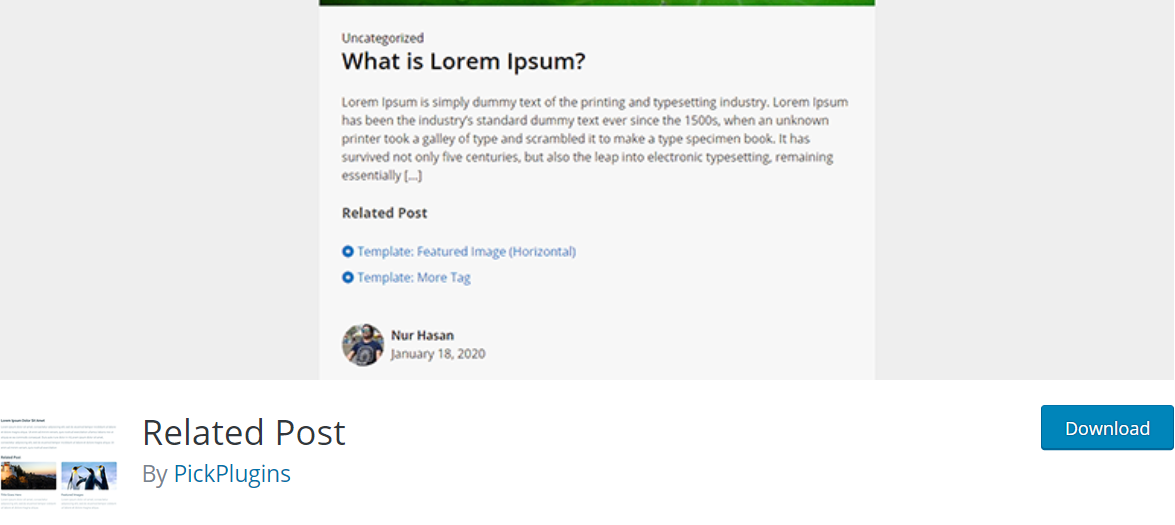
WordPress Related Post

wordpress blog plugin

As a blog owner, you may not always get thousands of readers on every post. But once in a while, one or two of your posts will blow up and garner a huge amount of readers. What if you could use the traction of your most popular to draw the attention of your readers to other posts on your blog?

WordPress Related Post is a blog plugin that will do that for you by automatically adding other related posts and at the end of your posts. It has multiple benefits, such as creating a chain of content to keep your readers engaged, drawing traffic to multiple posts by utilizing the popularity of a single post, and improving the overall time spent by readers on your site, improving your blog’s SEO. All these benefits using a free plugin sounds like an amazing deal!

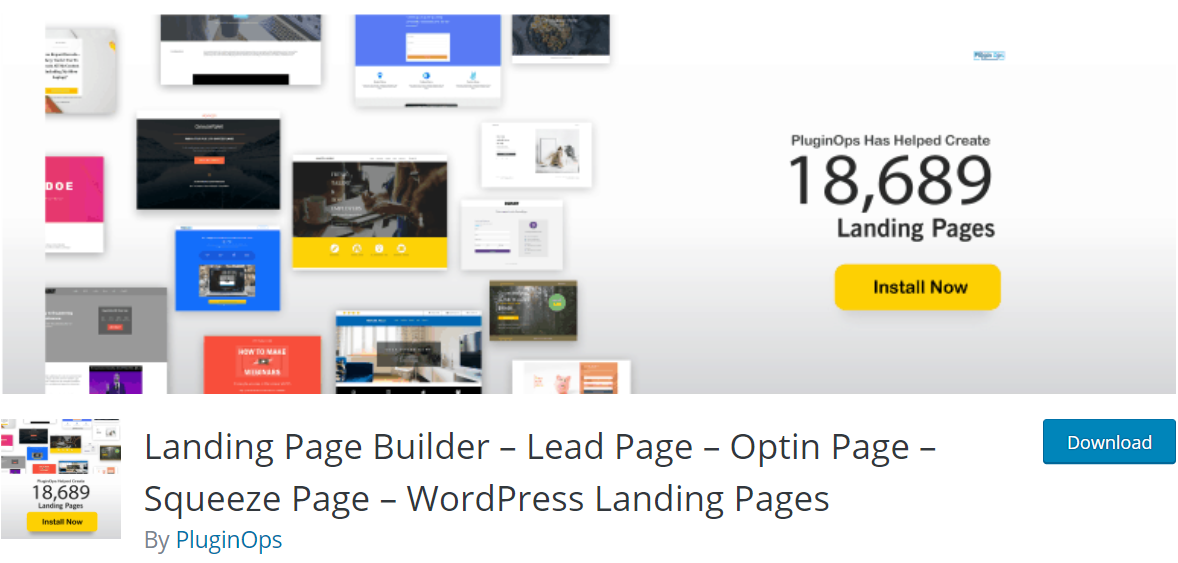
WordPress Landing Pages

WordPress Landing Pages

Are you promoting any particular post, content, product, or service? Do you want to capture the attention of visitors right away to whatever it is that you’re promoting? In that case, you will need landing pages on your blog. Thousands of sites use landing pages to drive conversions, and you should, too, because they are proven to work.

Now all you need for that is to install the WordPress Landing Pages plugin, and you can set up your own unique, customizable landing page in no time, similar to this casino blog. You can design multiple landing pages with different designs and can even run A/B tests with this plugin to see which format has worked best on your blog. 

Blog Clock

blog clock plugin

If your blog targets a global audience, maintaining the time zones can be an issue. You will not be active on your blog all the time, and not every blog can afford to set up 24/7 customer service. But your visitors may not always know when you are reachable, and they might get disappointed if their queries take too long to get a response.

That’s where the blog clock proves to be extremely handy. With this plugin, you can display a clock on your site that shows the time in your time zone, letting visitors know when you or your customer support team is available. 

The clock works in real-time and is accurate down to every second, and you can also customize it any way you want to fit perfectly with your site’s theme.

WordPress Call to Action

WordPress Call to Action wp plugin

Just like landing pages, Call-to-Action (CTA) is also an important tool to drive conversions on your blog. With the WordPress Call to Action Plugin, you can create attention-grabbing CTAs for your blogs and landing pages and design them any way you want. 

There are readymade templates that you can use, or you can also build your own CTA from scratch. This plugin also keeps track of your conversion rates based on how many visitors actually performed the action you wanted them to through your CTAs. It’s a perfect plugin that works even better when used hand-in-hand with the previous landing page plugin.

Conclusion

These are our handpicked best WordPress blogger plugins in 2020. As we said before, they all offer different functionalities, and each of them is proven to be essential for a blog. Depending on your content, niche, and the status of your blog, you may need all of these plugins or just a few of them. In any case, we are certain that you will find them to be really useful further to improve your blog’s performance and success.

6 Great Instagram Plugins for Sharing Your Feed

Instagram is ever-evolving and has now become one of the finest hubs for brands to gain business. The platform, because of its vibrant photos, features, and addictive interface, has got people hooked to it. With more than 30 million monthly active users, Instagram is the best social media platform to get your brand talking. 

What’s more, you can integrate the Instagram feed on your website as well. Doing so will help you flaunt your social presence on your website, thus enabling you to better connect with your audiences. 

Embedding an Instagram feed on website has far-reaching benefits that include:

  • Increases the authenticity of your brand, 
  • Creates a social buzz with your products
  • Increases the dwelling rates of website visitors and conversion rates as well
  • Embeds user-generated content on a website also builds brand trusts
  • Increases the visitor’s engagement 

The list goes endless. 

Here are the six great Instagram plugins you can use to share your Instagram feed on the website. 

Best WordPress Instagram Plugins For Sharing Your Feed

Instagram Feed Pro

This is a great WordPress plugin from Smashballoon that is used by over 1.3 million website owners. 

Some of its amazing features include embedding multiple Instagram feed on your website in different forms of layouts, adding Instagram stories with popup lightbox, highlighting specific posts, embedding shoppable posts as well, display special comments, and much more. The tool also allows you to filter posts before embedding them, thus letting you exercise more control over your feed. 

The plugin also offers a free version with basic features. 

RafflePress

RafflePress is an Instagram giveaway plugin that helps you in organizing Instasgram giveaways. 

Not only giveaways, but the tool also helps in growing your email list, i.e., the number of subscribers. It also helps you enhance website traffic and social media following. 

To get yourself started, you can also make use of its free version for the WordPress website. 

Revive Old Posts

As the name suggests, this Instagram WordPress plugin does not let your viral posts waste and relive them by sharing them again. 

You can schedule posts that go on your social media feed, i.e., it aims at keeping your audience engaged by posting new and old posts as you custom schedule them. 

The free version of this plugin lets you share your feed automatically on Twitter and Facebook but not on Instagram. 

Envira Gallery

Envira Gallery is a WordPress gallery plugin that lets you create beautiful photo and video galleries imported from social media platforms to be embedded on your website. 

It provides various customizable options to enhance your gallery images to make them social media and WooCommerce worthy. Moreover, all the galleries made by Envira Gallery are totally responsive and mobile-friendly. 

The galleries made are also SEO friendly with features like deep-linking and pagination. You can even add social media button on your images, watermark, use the drag and drop feature and much more. 

Soliloquy

A slider is a prerequisite of any modern styled website. Soliloquy keeps that in mind by being the best responsive slider WordPress plugin. 

This Instagram widget WordPress lets you make dynamic sliders for your website with Instagram photos, blog post thumbnails, and testimonial screenshots. 

You can use the Instagram feed in these sliders. Moreover, it also lets you adjust the sliders’ speed, edit your slider images, and much more. It is totally screen responsive as well. 

You can easily incorporate it into your workflow. You can not only use sliders not only on your website homepage but add it to your blogs, WooCommerce store as well. 

10Web Social Photo Feed

10Web social photo feed works the same as Smashballoon, i.e., it is used for embedding Instagram feed on your website. 

It provides a free and premium version for making use of its different features. The free version lets you create a single image feed with specified hashtags, whereas its premium version lets you create a social wall with a mixed Instagram feed and multiple hashtags. 

The social wall can be embedded on your website’s sidebar with different layouts like masonry, thumbnail, blog style, and much more. Yes, it can filter your Instagram feed, as Smashballoon does. 

Your Turn

Your Instagram feed can be put to good use when embedded on your website. Don’t let the opportunity to extend your brand reach through these WordPress plugins go to waste. If you have a worthy Instagram feed full of user-generated content, then you can double your conversion rates by using these WordPress plugins for embedding Instagram feed, organizing giveaways, and adding social icons and sliders on the website.

How to Make a Quiz That Drives Traffic to Your Website and Improves Engagement

Creating a website is easy if you have the required know-how. At least, the basic websites can be easily created by getting the cheapest web hosting using drop-and-drop builders. But the key to success is traffic. Traffic that is engaging and relevant. 

When the average attention span is 8 seconds, how do you keep your users engaged for long? Among many of the options available, Quizzes stand out. Not only do they help you improve engagement, but they also drive lots of traffic on a long term basis. That’s why you’ll see them in leading web portals and digital magazines. In this article, we’ll guide you through the process of creating a quiz for your own website.

Why Are Quizzes So Special?

When quizzes are being used by leading online media portals like BuzzFeed and the New York Times, it’s not unusual to wonder what makes them so special. Why are web visitors attracted to them, and what’s the reason behind the high engagement rate.

If you’ve taken part in a quiz before, then you must be knowing that it’s a set of multiple-choice questions you need to answer. The questions can be either candid or technical based.

On the surface, from a marketer’s point of view, they may look like distractions from your major marketing and conversion goals. But it’s naive to think that way.

Although you can get customers to your website using Google Ads, quizzes can prove to be more effective in:

So what’s the reason behind all of this effectiveness? It turns out they’re fun and light for the end-user.

The majority of the people surf the internet, check out casino websites, browse through lifestyle blogs, all to get some entertainment and inspiration. They want some time away from their hectic schedule. They need something which requires the minimum mental effort to complete in return for a reward. And that’s the reason that quizzes are so candid. And that’s also the reason that quiz sites are image-based. Images are processed more easily and faster than text.

As rewards, users are often offered freebies, coupon codes, e-book, or something similar, which they can claim as an achievement and share with their friends. And that’s where organic growth kicks in.

So when looking from a consumer’s perspective, quizzes totally make sense. It’s up to you on how you can capitalize on the format.

How to Make a Quiz?


So how do you actually create an online quiz? You might have plans of hiring developers, designers, copywriters, and SEO specialists to get the job done. Well, that’s an outdated practice, not applicable in this age of tools like WordPress.

You can create quizzes like BuzzFeed without any substantial capital investment and in the least amount of time.

Use BuzzFeed’s Platform

The first and the most convenient way to build a quiz for your website is to use the BuzzFeed platform. Buzzfeed is the company that pioneered the quizzes on the internet. And so far have seen an exceptional level of success with it. You’ll often see articles on their website that read, “Take this quiz, and we’ll guess your favorite color,” “This quiz reveals your favorite dish,” or something along those lines.

Now, the media company is extending its platform to outside marketers. You can use it for your own company without any licensing requirements or fees.

So, how to make a BuzzFeed quiz? To get started, you’re required to sign up at BuzzFeed and create a free account. Once created and verified, you have to navigate into the New Post option from the dashboard. You’ll find an editor using which you can create your own quiz.

Just upload the images, type in the text, and hit “Save.” You can create different types of BuzzFeed quizzes like:

  • Quick Quiz
  • Personality Quiz (which would try to determine the personality traits of a person)
  • Trivia
  • Checklist
  • Polls
  • Scale Quiz
  • Tap on Image Quiz

You can then grab the embed code and use it for your own WordPress website. All of this would take 5 to 10 minutes at max.

Use a WordPress Plugin

WordPress plugins are, metaphorically speaking, like manure for plants. Without them, the WordPress platform would probably still exist but would be of less value. With plugins, you can extend the functionality of your base website. 

As the saying goes, there’s probably a plugin for that too. And that’s exactly the case for creating quizzes. The main benefit of using a WordPress quiz plugin over the BuzzFeed platform is that you’re hosting the quiz on your platform. This way, you have more control over your quiz.

While there are many plugins you can choose from, the top 2, as per our experience, are Forminator and  WP Quiz. Both the plugins boast of a 3.5-star rating and have been installed on thousands of websites.

The Forminator plugin, developed by WPMU DEV features a drag-and-drop builder, which makes it even easier (and fun) to create quizzes. You can create basic quizzes, polls, forms, and more. You can always create those BuzzFeed-inspired quizzes that guess a person’s personality traits or favorites.

The installation process is the same as other plugins. Just head over to the WordPress quizzes plugin library and search for the two plugins. Go with the one you’re comfortable with.

Get A Third-Party Tool Like Typeform

The final way to create online quizzes we’d recommend is using an online service that specializes in creating forms. The best online tool we can think of is Typeform. With this, you can create forms, surveys, quizzes, among other things. In the end, you can create a lead-in form where the customers can provide their email address to get their rewards (if that’s your marketing model).

Since these are dedicated tools, you’ll have more styling options and control over your quizzes. You can even include animations that make the whole process even more interactive. The result is a sleeker quiz than BuzzFeed or the plugin, but it’s your creativity that matters the most. Another quiz building platform is Quiz-maker and QuizBean, but you’ll literally get more or less the same results.

Using a third-party tool like Typeform is an ideal option for people who don’t have their website built on WordPress and don’t want to bother with BuzzFeed.

Conclusion

After you’ve created your first quiz, it’s better to test drive with a set of people before rolling out to the public. This will help you gauge how effective your quiz is and determine if there’s a flaw.

Quizzes are here to stay for time to come. Therefore, the early you learn and implement it, the better.

How To Choose The Best Hosting Provider For Your New WordPress Site

If you are looking for a good WordPress hosting provider, you have thousands of options ahead of you. The idea is to measure your usage and choose a provider that suits your requirements the best. In this context, it is best to opt for a hosting solution that helps your site stay stable, up and running, and is budget-friendly.

So, what should you look for in a WordPress hosting? Let’s check out.

Features To Look For In the Best Hosting For WordPress

Speed 

Needless to say, speed is an important parameter that describes the performance of your website. And as it goes, both speed and performance depend on the software (themes and plugins) and hardware supporting the site, like memory, processing power, and storage capacity. 

The provided RAM and CPU usage can impact the speed of your website immensely. Thus, before choosing a hosting, determine the ideal specifications that would work for you.  For instance, if you run a blog, opting for a lower RAM and CPU would be sufficient. However, if your blog witnesses a lot of traffic daily, using an average hosting plan will not be sufficient. 

Support 

How difficult is it to find support at odd hours for your WordPress site from the hosting provider and get your queries solved? Well, support is an important component of the whole process. 

Your website might be down for no apparent reason, or certain pages might not be loading. It is when you need to contact your hosting provider urgently and get your issues resolved.

Getting support through modes like phones, live chat, emails, and support forums could prove to be handy here. While most hosting providers offer some degree of support, we will recommend going for 24/7 live support. 

Uptime 

Uptime is defined as the amount of time that a system is up, running, and available without a restart. Having a high uptime is important, especially when you run e-commerce portals business websites. 

Most WordPress web hosting providers provide plans that have uptimes over 99%. So, you should choose a hosting provider that provides an uptime ranging from 99% to 99.9%. This 0.1 or 0.5% might not seem to be very important for personal blogs or other similar websites, since the sites are up 99% of the time, at least. 

However, if your website witnesses huge traffic, even a few seconds of downtime can make all the difference, costing you both in terms of money and reputation. So, for e-commerce websites and similar sites, it is best to opt for a hosting provider with a decent uptime. 

Hosting Type 

You can choose from four types of WordPress hosting plans. These are:

  • Shared hosting 

This is the most economically friendly hosting plan that requires minimal configuration. It is perfect for personal blogs and other websites that do not require a lot of traffic. The idea is that since the website has less traffic, it is expected that it would also take up less server space. 

In effect, the same server is shared by multiple small websites. However, if the load goes up on your site, all the websites on the same server will become slow and come crashing down. Once your website grows in traffic and popularity, it is best to opt for a better hosting plan.

  • VPS hosting 

Hosting providers providing VPS hosting have WordPress servers partitioned into different components. Each blog or website usually takes up one component and corresponding resources, including RAM, CPU, and storage space. 

This means websites have access to only that part of the resources that they actually need. This plan is flexible and scalable. But it needs a lot of technical expertise and is not ideal for beginners. 

  • Dedicated hosting 

As the name suggests, the entire server space is dedicated to the particular website in this form of hosting. In effect, your website can make use of all the resources available on the server. 

The advantage here is that since you are not sharing the server with any other website, your site is expected to be performing well and never slowing down. The disadvantage here is the price associated with the hosting plans. They are usually heavy on the pockets. 

  • Managed WordPress hosting

Managed WordPress hosting is the most comfortable option for people who are not tech-savvy. This means they can have the hosting company take care of all their technical requirements. The biggest advantage here is that the site would have almost zero downtime. However, this comes at additional costs.  

The Wrap Up

All in all, if you are new to blogging and are starting with a personal site, it is best to opt for a pocket-friendly hosting plan that caters to the minimum requirements. As your site generates more traffic, you could migrate to other paid hosting plans with higher configurations. 

However, if you are already an established online business and are looking forward to having the best performance, we recommend you go for dedicated hosting to enjoy seamless services. 

So, what are your views on this? Do let us know in the comments below.

Must-Have WordPress Plugins for Business Websites in 2020

Are you looking for the best WordPress plugins to take your business website to the next level? You are looking in the right place. 

There are around 55,000 plugins for WordPress, but our purpose is to provide you with must-have plugins for business sites. 

As one of the most massive WordPress plugins’ largest providers, our absolute responsibility is to provide the readers with the right suggestions about the best WordPress plugins. 

Let’s begin with this sizzling list!

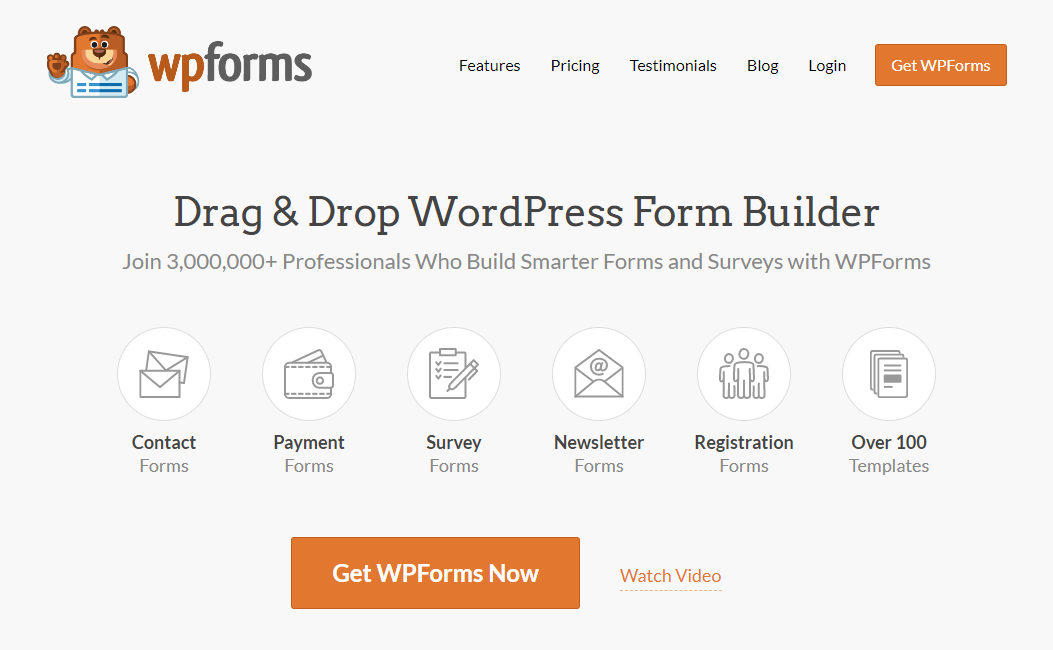
WPForms

Every website requires a contact form to allow your site visitors to get in contact with you. This touch is essential for business growth and development. WPForms is the claimed best WordPress plugin to make a friendly contact form. 

This drag and Drop theme allows you to create any forms in just a few clicks. The conditions created by this theme are robust and fulfill the required arrangements by integrating the WPForms with impressive marketing tensions. 

WPForms comes with features to help you create custom login pages and registration forms for WordPress. There are about three million websites using WPForms. 

Yoast SEO

Yoast SEO is also from the league of best WordPress plugins for business sites as it is SEO friendly. It allows you to get more visitors on your websites. 

It manages the traffic from search engines in your favor. Yoast SEO avails the best-detailed solution with dynamic tools and features to increase on-page SEO.

Yoast has a powerful redirect function to allow you to create 301 redirects for your site. It quickly detects the change in URLs and initiates auto-directs. This feature offers you full control over the breadcrumbs of your site. 

Yoast is compatible with almost every WordPress theme so you will not have to worry much. 

Sucuri

For some people, security is the top priority for the online business, and it also should be. There are millions of hackers online waiting to trap you. Sucuri is one of the best WordPress plugins for your security and web application firewalls. It offers the best protection for our site available. 

Sucuri monitors your site to protect it from attacks, including DDoS, XSS attacks, malware attacks, and brute force attacks. Most importantly, if you do not have a firewall on your website, then hold on to a security plugin without delay. You will not want to put your security at risk.  

UpdraftPlus

Your long-lasting plugin needs to make backups. The best WordPress plugin available in the market for the backup area is UpdraftPlus. 

You can enable automatic backup and store all your data on a safe platform like Google Drive, FTP, email, Dropbox, Rackspace, etc. 

Secondly, its restoring functionality is also super-easy. You can restore your website from a defined backup without any complicated coding. UpdraftPlus is free, but you can avail of additional features and priority support by a paid plan. 

Visitor Counter

visitor counter plugin

Visitor Counter is also a must-have for business sites. It is fully compatible with WordPress. It is included in the list of best WordPress plugins due to its superb features. 

Its compatibility gives you a seamless experience when you download it and install it on your device. Downloading the Visitor Counter plugin is a straightforward task, as there is no complexity in your way.   

Usually, it’s a concern for people that free visitor counter plugins want third-party software access. In this case, feel free as there is no need for you to grant access to any third-party software. You can get all the exciting features in this handy plugin for free. 

NitroPack

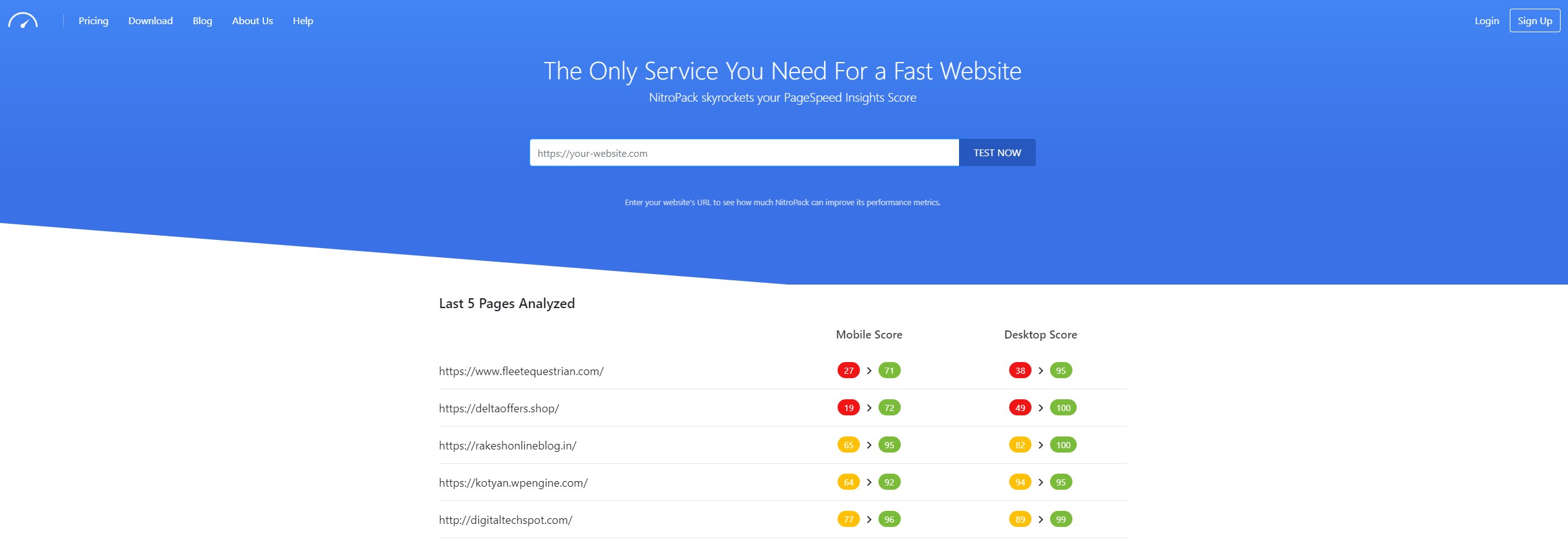
Speed is a significant factor while using WordPress. You need not worry about your page speed problems at all with NitroPack. This best WordPress plugin will make you forget unwanted speed scores, unoptimized images, and render-blocking sources. 

One significant advantage of using this plugin is getting automatic updates for the latest metrics and best practices.

Moreover, you can reduce the bounce rate on your site and thus save more conversions—no requirement from your side to be a developer to avail of these excellent features of NitroPack.You can install it in less than 2 minutes.

RafflePress

RafflePress is a giveaway plugin available in the market. It is one of the best WordPress plugins to allow you to increase your site’s traffic, increase social media subscribers, and email subscribers with giveaways. 

RafflePress users can develop an attractive giveaway for visitors by using proven giveaway templates and simple drag and drop giveaway builder. In order to enter the giveaway contests, your audience needs to use an email address. 

This way, you get more subscribers for the email newsletter. 

RafflePress’s free version is called RafflePress lite, and it has the required features to get started. If you want to equip more stunning functions into business sites, you should contact the RafflePress Pro. 

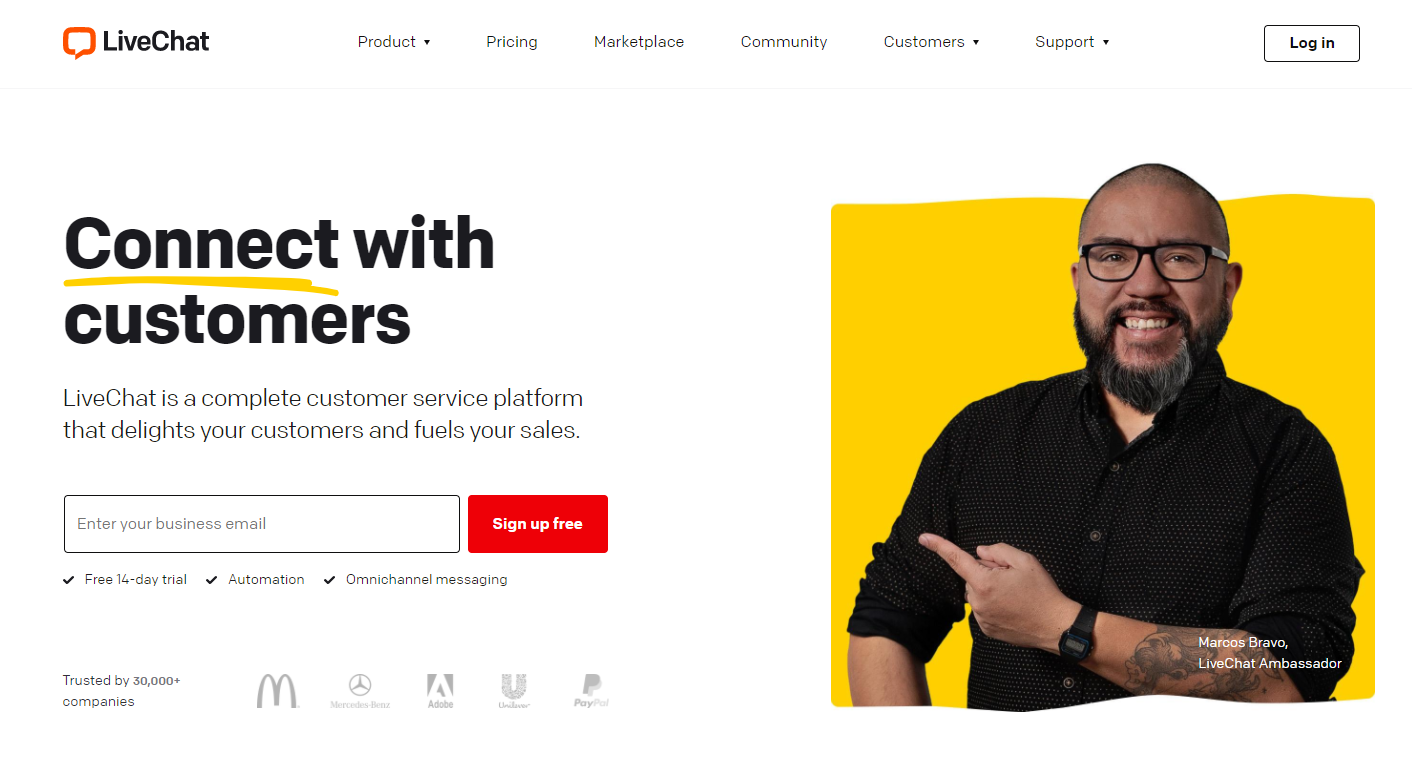
LiveChat

LiveChat is an excellent live chat support program for e-Commerce sites and, resultantly, your businesses. This best WordPress plugin is super easy to use, and you can add live on chat on your location within a short period. 

This WordPress plugin has tons of customization features, and it also has the advantage of a mobile app to allow you to provide real-time support.

This WordPress plugin integrates with your existing software for support, email subscriptions, CRM, and other tools. Indeed it is a fine choice because of its reputed user experience and quick loading speed. 

WooCommerce

If you are into a business over WordPress sites, we are sure that you have already heard of WooCommerce WordPress Plugin. It is the best WordPress plugin for eCommerce. 

Its reputation precedes as more than four million websites use it. This plugin comes with all the features you must have to create an online store. 

WooCommerce has dominated itself and is the most popular eCommerce plugin for WordPress sites. 

You can also get access to the WooCommerce ecosystem where you can get the available WooCommerce themes, WooCommerce hosting, and WooCommerce plugins.  

Akismet

If you are ambitious about your business, then you must be very much annoyed with spam content. Don’t worry, Akismet is the best WordPress plugin used by millions of websites to filter out spam content from the Web. 

Its working is very much credential that if you add it once, then you will never have to worry about spam content again. 

This plugin allows you to rest easy as it is responsible for dealing with the spam content, and you will not have to stuff your head with it. You have to sign up for an Akismet plan that suits your needs and activate the API key to enable its functioning. 

slotsycasinos.com added Akismet to their online casino website to filter out the spam content from the web. They are very happy that they made the decision.

Wordfence

wordfence

Protect your website with the best WordPress plugin for security. Wordfence comes with an endpoint firewall and malware scanner specially designed to protect the WordPress sites. 

Wordfence provides you better protection than cloud alternatives. Historically it is proven that cloud firewalls suffer data leaks. 

Wordfence doesn’t have to break end-to-end encryption like cloud security solutions. Wordfence gets the newest firewall rules, malware addresses, and malicious IP traces to keep your site protected. Afterall, Wordfence is the best security option available.  

Elementor

Elementor is the best WordPress plugin and the leading website builder. This plugin allows you to control every aspect of your web design with easily managed tools. 

It gives you the authority of total visual design with powerful and flexible features. You can build websites in no time, and those websites will load quickly as well. 

Elementor is suitable for professional business agencies for simple freelancers. You need design, and then you can customize your pixel-perfect design with efficient code.

Site Kit by Google

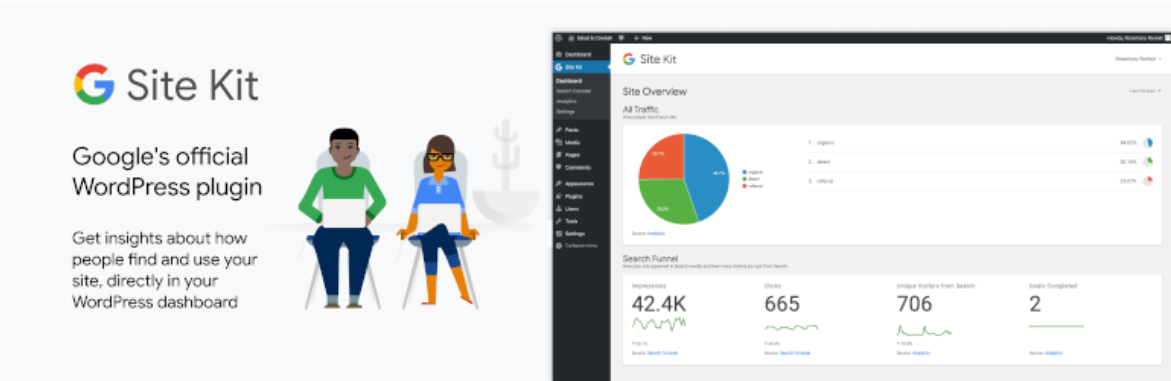
Google Site Kit is the official plugin for WordPress for deep insights about how people find and use your website. 

Site Kit is the one-pack boost for your business as it can be deployed and managed to achieve insights by critical Google tools. This analysis can significantly make your website successful.

This best WordPress plugin lets you achieve free features like up-to-date insights from Google products directly. Multiple tools are made available on the WordPress dashboard for easy and optimized access.  

 Conclusion

These are the best plugins that your website can ever have. It is imperative that you use most of these based on what your business model needs for success. Good luck.


15 Best Free WordPress themes in 2020

The year is 2020, and you still can not decide a perfect theme for your website? You are not alone. Choosing a WordPress theme among thousands of others can be stressful.

Before choosing a WordPress theme, you should ask yourself, why do you need a WordPress? And exactly what kind of WordPress theme are you looking for?  

WordPress is used to create all types of websites. That’s why each theme caters to a different kind of market. Your WordPress theme should complement the content of your website. For example, if you are starting a blog on politics or social issues, you would want a theme that improves readability.

Most beginners feel overwhelmed when it comes to selecting a theme suitable for their WordPress site. There are thousands of free and paid options. Each theme looks better than the other one. 

How do you choose the best theme for your WordPress site? Well, here are our top 15 picks of WordPress themes you can pick.

Danfe

Are you looking for a theme with not just a clean and polished look but also that is very responsive? Look no more! Danfe is a perfect pick for you. 

The theme is a perfect choice for corporate websites, business, News, and more. 

The theme is a beautifully crafted and exciting WordPress theme. It is a next-level theme with a wide range of incredible features and goodies and everything you are about to need to take your website to the next level.

It is built with a sleek, intuitive, and powerful Bootstrap framework. Danfe is mobile-ready right from the beginning. It is a responsive, mobile-first fluid grid that scales up to 12 columns as the device or viewport sizes further increases.

Danfe offers you the luxury of 7 different header types. You can also have a top bar with each one for added variation.

Hestia 

Hestia is a modern WordPress theme specifically designed for professionals. It fits creative business, small business (restaurant, sports/medical shops, wedding planners), startups, corporate business, online agencies and firms, portfolios, and freelancers.

Hestia is among the best and most popular ones out there. Created by Themeisle, hundreds of thousands of websites over the internet use the Hestia WordPress theme. 

The free version is appreciated by many for having had a great start. Still, there are some usual benefits of upgrading the Pro version that you can expect, such as greater flexibility and extra features. 

Hestia free offers you Top Bar, color and typography customization, blog options, and WooCommerce support. In contrast, the Pro version provides you with some extras like slider, portfolio section, video background, section recording, and many more.

Calliope

Calliope is a stunning, very customizable, multipurpose theme that you can use to create a fantastic website through drag and drop. Calliope comes with a pre-designed home page, 35 ready-to-use content blocks, and five header designs. 

Calliope is a modern and creative premium WordPress theme. The design theme is made in a beautiful style. It is best suited for Personal Portfolios, Creative agencies, designer portfolios, illustrator portfolio, photographer portfolios, and more.

The theme comes with universal design; it has every detail and animation effect. It is just as easy to customize to fit your needs, replace images and texts.

The theme is incredibly responsive, you can view it on mobile/tablets, and it will look very well on those devices. Calliope is a perfect theme for a variety of uses, from personal or business portfolios to blogs.

Guava

Are you searching for an SEO-friendly theme for your WordPress website? You have just come to the right place.

Guava is a WordPress theme that is SEO-friendly and is perfect for a range of digital marketing strategies, whether they be content posting, cross-posting, affiliate marketing, and other techniques that will optimize your chances of being discovered on the web.

Guava is a simple, clean, and elegant WordPress theme for your blog site that is free. This theme comes with a demo import feature, so you can easily set up your blog layout by importing the demo content.

It has easy to use customization options to help you with the design of your website. And its responsive design will make sure your blog looks perfect on all devices.

Sewa

Sewa is a modern WordPress theme that comes with a powerful page builder like Elementor, which will allow you to simply drag and drop editors to change the appearance and feel of the WordPress theme completely.

Sewa is a multi-purpose WordPress theme with a page builder compatible design. If you are looking for business, corporate, and portfolios, Sewa is one of the best options you have got.

In addition to that, this theme can be useful for blogs, finance, health, and travel websites. Sewa offers many customizer based theme options, some added widgets, and is WooCommerce compatible and child theme ready.

Sewa supports Elementor and WooCommerce and brings you unlimited slider options.

Ocean WP

Ocean WP is a perfect theme for your project. Lightweight and highly extendable, it will enable you to create almost every type of websites such as blogs, portfolios, business websites, and WooCommerce storefront with a beautiful and professional design.

It is a fast loading WordPress theme that has excellent support for third-party plugins and drag-and-drop page builders. It offers a lot of functionality out of the box, and its feature can also be enhanced by a host of free and premium plugin extensions.

 It’s no surprise, then, that the design is trendy. The free version of the theme is activated on more than 300,000 websites and has a near-perfect five-star rating on WordPress.org.

Neve

Neve is a famous WordPress theme among WordPress developers that suits any website because of its versatile nature. 

It is optimal for high speed, loads in less than a second. It is lightweight and also SEO friendly. Neve is an AMP optimized theme that helps to boost your site’s Google rankings.

Moreover, Neve is compatible with many powerful plugins like WooCommerce and the most popular page builders, so that you can create your perfect site with your favorite tools. It is built with block editor in mind, making it an elegant and neat theme with a minimal edge.

Sparker

If you have your eyes on picking a WordPress theme that’s faster to load and bring tons of new features, well here it is. Sparker is arguably the fastest loading WordPress theme.

It is lightweight and SEO-friendly, allowing you to work on the flow of your business website. It is an Elementor WordPress theme having ample of useful features. 

Moreover, it has a responsive and elegant design and quality codes. Sidebar options, copyright options, read more text, etc. are the added features. 

The theme comes with a beautiful slider section, footer options, featured post column, and a lot more. Sparker is a perfect option for blogs, news, and magazine websites. Try this awesome WordPress theme today; you will never find yourself looking for an alternative.

Kumle 

Searching for a lightweight, simple, neat, and clean multipurpose WordPress theme that can serve a range of your needs, Kumle needs all your love and attention.

Kumle is a free and elegant multipurpose WordPress theme specially designed for compatibility with Elementor. You can create multiple professional and advanced pages with the full support of Elementor with this theme.

The theme also has a lightweight framework that helps in better speed and performance of your website. It is also a fully responsive theme. So you can use it on any handheld device of any screen sizes like mobile phones and tablets without hampering the performance of the website.

It also has tons of customization options for header sections and slider positions. 

Construction Kit

Construction Kit is a free WordPress theme designed specifically for construction and building companies. Whether you are offering your building services, are a real estate broker, or a real estate agency, Construction Kit WordPress theme is what you need.

Construction companies worldwide on internet Construction Kit, mainly due to all the various features they are equipped with. Dedicated demos, easy shortcodes for introducing your staff, easy pricing integration, and more – the theme empowers you with all the features.

It comes with six ready to import demos, which can be imported with just one click. Additionally, it is effortless to use, perfect for businesses, corporations, lawyers, agencies, education, stores, shops, and all creative websites.

The theme has a fully responsive design and has an SEO optimized code.

Minimal Dark

Minimal Dark is a masonry-layout child theme of Minimal Grid that is modern, clean, and responsive WordPress WordPress theme for News, magazines, entertainment, or blog websites. 

Being compatible with the new Gutenberg editor makes it a lot easier to design and customize your website the way you want. It supports different post formats, infinite scroll loading, multiple footer widgets areas with additional custom widgets, and features modern, easy-to-read typography and minimalist design.

The theme fulfills all your needs for customizing the header section. Here you can upload the title image, crop a particular image, and at the same time, upload as many photos you want. You can also arrange your menus items without disturbing the original flow.

Shapely

Shapely is a powerful and versatile one page  WordPress theme with pixel-perfect design and outstanding functionality. It is by far the most advanced free WordPress theme available today with loads of unmatched customization options.

 It is considered as a powerful, clean, and beautiful full-width WordPress theme. It’s specifically designed for the business, company, corporate websites with tons of handy functions.

The homepage widgets can add unique features for your website like Portfolio, testimonials, service, Parallax Sections, etc.  It is also compatible with one-click demo import to quickly turn his/her website into a charming page like the one given in the demo. 

Sinatra

Sinatra is famous for being the most light-weight yet highly customizable multipurpose theme that makes it easy for anyone to create their perfect webpage.

You can find Sinatra useful for any website from blogs, online shops, businesses, hotels, restaurants, creatives, startups, etc. The great thing about Sinatra is that it is fully compatible with the new Gutenberg block editor and runs your favorite plugins like WooCommerce, page builders, Jet Pack, SEO plugins, etc.

You get different typography options with Sinatra and also the much-needed page builder support. It comes with a demo import option that allows you to import the demo content and layout.

OnePress

OnePress is an outstanding creative and flexible WordPress one-page theme well suited for business websites, portfolios, digital agencies, freelancers, product showcase, and everyone else appreciating good design.

Although the theme doesn’t feature a project section but offers a neat section for a video overview or service area, it comes with a slideshow header, fun fact area, team, a news feed, contact form, and newsletter signup. What else do you need?

Overall, the theme is an elegant and classic one, a fine example of the Bootstrap 4 WordPress theme, which is compatible with the latest version of WooCommerce.

Mesmerize 

Last but not least, Mesmerize is an incredibly flexible, multipurpose WordPress theme that can be of great help creating a fantastic website more painless than ever by drag and drop.

Incredibly flexible and multipurpose, Mesmerize as the name says it will leave your users mesmerized. Create the perfect and excellent looking website with this fully responsive and retina-ready design that the theme features!

 The easy-drag and drop builder will ease up customizing and editing any elements on the site. Furthermore, the variety of options that the theme features will surely add up to the extra appeal to your site without any doubt!

End Words

Finding a perfect WordPress theme for your WordPress can, no doubt, get a hectic thing to do. But it’s not hard when you know what you are looking for and how you want your viewers to see your website.

Good luck with choosing a theme.

How to troubleshoot issues on your WordPress website?

If you are reading this article, then it means you are a WordPress fan. The Content Management System(CMS) of a WordPress site is efficient and packed with features, but it has its foibles. 

Typically this platform is rock-solid, but running into an error or issue isn’t inevitable. Whenever you face an issue in your WordPress site, there is no need for you to panic as likely someone else has already encountered the problem.

Thus, learning the basics to troubleshoot issues is quite vital for users of WordPress. By learning about fixing WordPress errors, you can tackle any problem that comes in your way and without calling assistance. 

‘Troubleshoot issues’ is an essential skill that can save you time down the line. Let’s get started!

Most Common Issues

WordPress site issues can arise from the errors in many types, such as the maintenance mode bug or the connection timed out message. 

It would take an eternity to cover all the issues, so let come to the three most common errors you are likely to encounter.

404 or page not found error

This error is the most common and easy to troubleshoot. This error occurs when someone browses for a URL that can not be fetched from your WordPress site. 

There are many reasons for this error to occur, such as broken links or typos.

Finding and fixing the broken links takes only seconds if you can locate them. You also have to consider the security issues that will arise for your site’s visitor and you.

You might also come across an error like the 502 bad gateway error, and there is a dire need that you need to know how to fix such errors and make your website work smoother.

The White Screen of Death (WSoD)

This error also turns out to be a standard and annoying error on the WordPress site. This dramatically-named error hits you if your website displays a white screen suddenly. 

This error is caused due to auto-upgrade problems, compatibility issues with plugins and themes, or maintenance mode issues. This error is hard to troubleshoot, no matter which potential cause was the actual reason for its occurrence. The problem with this error type is that you don’t receive a vivid clue about the cause. 

Internal server errors

Unlike the WSoD error, internal server errors are identifiable easily. You can know its occurrence by the greeting message in gigantic style as ‘Internal server error.’ As the statement mentioned above identifies the error type, so there is no mistaking. 

Several factors can cause internal server errors. So, the troubleshooting of this eros is also a bit tricky. If your users have such issues after clearing all their cache and cookies, you need to fix it on your end.

Troubleshooting Common Issues

Before you start with the troubleshooting of your WordPress site, remember to backup your site first. Instead, you should always back up your site before any tinkering.

Notably, the incompatibility of plugins and themes is the leading cause of errors. It should be your first thought when you start troubleshooting WordPress site. 

You can follow any of the steps below by using the file manager of your web host. Let’s begin Troubleshooting!

Disable your plugins via FTP

First of all, open the FTP client and then log into your site using your web host signup credentials. Afterward, go to  public_html > wp-content. There you will find several folders.

Right-click on the plugins folder, select the Rename button, and then change it to anything you like. 

Online Casino NL had issues with this, and it only took them these few easy fixes to get the website up and running free of these errors.

This simple procedure will disable all the plugins on your WordPress site. Now, check your website and see if the same error you witnesses still exists.

If it persists, you can discard plugin compatible errors from your suspicion. If the mistake vanishes, we need to find which plugin was the problem-creator. 

Disable your themes via FTP

As disabling the plugins didn’t resolve our issue, so now we will have to do a similar troubleshooting operation with the themes of your WordPress site. Locate and enter the themes folder inside wp-content.

Now, instead of just disabling themes randomly as we did forth, the first step should be your active theme. Change the folder name; this will disable the specific article. Repeat this procedure and then check the error to find the culprit. 

If neither of the ways mentioned above worked, now you will have to access the valuable insight by enabling the Error Logs. 

Enable error logs

Error logs will enable your WordPress install to keep a saved record when the site experiences an issue. These error logs are incredibly helpful if we see according to the troubleshooting perspective. 

To start error logs, go to public_html in your FTP client, find the wp-config.php file, right-click on it, and then choose the Edit function.

Now, add these three lines to the end of the file using your text editor:

define( ‘WP_DEBUG’, true );

define( ‘WP_DEBUG_DISPLAY’, false );

define( ‘WP_DEBUG_LOG’, true );

Afterward, save your changes and then reload your site to replicate the error. A log of it should appear within the new debug.log file located in wp-content. 

Conclusion

By learning the basics of troubleshooting, the WordPress sites won’t help fix errors, but it’ll also help you understand its inner working.

Then even if you get hit by some mistake (including the ones not covered), you will have a headstart to identify and solve it.

Next time, if any issue comes in your way, remember to:

  • Back up your WordPress site.
  • Manually disable your plugins and themes.
  • Enable WordPress error logs for additional clues.

If the above doesn’t work, then contact a WordPress expert right away. Errors out of this article’s scope, such as the error 400, are easy to fix, too; just make sure you don’t leave any erroneous element on your website.

Troubleshooting is a time-taking process. You are supposed to be patient and try to look for the roots of the issue. Once you have diagnosed your goal, you can search for the solution.