Best Ways To Clear Browser Cache In Your Web Browser

Okay, so we are going offtopic today, but we will be discussing an important aspect – browser cache.

To provide you with a better perspective, browser cache could be the reason that your Visitor Counter Plugin might not be working well. 


So, What is Browser Cache?

Browser caching is the practice of storing data locally from a website when you visit it for the first time. The whole practice is dependent on the fact that when you visit the same website next time, it can load the saved files, as a result, open the website much faster. 

The browser or web caching will make your browser work much more efficiently and use less bandwidth, to name a few positives of this.

Some of the assets that the browser downloads are logos, photos, backgrounds, JavaScript, images, CSS, and HTML. All these assets make a part of the website that is static. They remain the same the next time you visit, and since they are on your local system, the browser does not need to download the entire page from scratch.

There is a misconception around browsing cache, as people think that saving files from your machine from various websites can cause security issues. However, the browsers have scanners for threats, that combined with the firewall and antivirus in your system can keep your machine protected. 

Why You Should Have Browser Caching?

Faster Performance

 When you visit a website for the first time, the browser sends a request to the server hosting this site. The server sends back the address of the website and the HTML page downloads on the browser. 

The very first HTML page to be downloaded is the basic infrastructure of the page, buttons, boxes, color schemes, etc. Essentially, you are downloading things that utilize bandwidth. The webpages can take a while to download and assemble, depending on how heavy they are. 

This is why sometimes when you open a website, you see the texts appear before other elements. Sometimes the scroll bar does not appear until several seconds have passed.

Caching means, some files are saved in your local machines, so fewer files to download, and faster performance as a result. Retrieving files from a hard drive is much easier than getting them from a remote server.

Less Utilization Of Bandwidth

 If your data plan is limited, caching saves your bandwidth. Think of it as watching the same movie online repeatedly. Every time you are downloading hundreds of MBs worth of data because you did not download them for the first time.

What Are The Issues That Can Come From Browser Cache?

Although browser caching is great and all, it has certain drawbacks as well. For instance, when you update your website, you might still see its older version due to caching. In cases like these, you need to clear the browser cache to make things work.

Take, for example, the logo of your website. Logos hardly change and are one of the most static elements in a page. Now, you want to change the color of the logo to commemorate an occasion. 

Since the old logo is still lying in your local system, next time you open the page, the page element will not fit in with the rest of the page and shows you the page in a distorted way. Or it keeps showing you the old logo. Your system won’t store the new logo until the cache has been deleted, or expired.

A lot of weird page behaviors can be attributed to not clearing your cache. Like mismatched formatting, broken JavaScript, and so on.

Issues like this are uncommon because the server mostly knows what elements have been changed on the page. However, if you are seeing weird behavior, simply clear your cache.

There is a simple remedy to this issue. You don’t even have to clear all the cache if you don’t want to. Browsers allow you to delete cache for specific sites. Once you delete the cache from these sites, you will have a better experience browsing.

How To Clear Your Cache On Different Browsers?

The main principle is the same in all the browsers, but the menu settings can vary in labels. This is why we have listed the easiest ways to clear your browser cache:

Chrome

  • Open Google Chrome.
  • Click the three dots on the top right corner.
  • Click the More Tools option.
  • Click Clear Browsing Data.
  • You can choose the time range you wish to delete the cache for. If you want to empty all cache, select All Time.
  • Check the box beside cookies and other site data, as well as cached images and files.
  • Click the Clear Data Button.
  • Restart the browser and re-open to have the effects take place.

Firefox

  • Open Firefox.
  • Go to the History menu.
  • Check Clear Recent History.
  • If you cannot see the menu bar, simply press Alt on your keyboard.
  • Choose the time range for how much cache you wish to delete.
  • Click Clear Now.
  • Restart the browser and re-open to have the effects take place.

Microsoft Edge

  • Click the Hub icon on the top right in the browsers (three horizontal lines).
  • Select the History icon which looks like a clock.
  • Check Clear All History.
  • Select time range, cookies, and saved website data.
  • Click Clear.
  • A pop-up message will appear with ‘All Clear’.
  • Restart the browser and re-open to have the effects take place.

Opera

  • Open Opera and select Settings.
  • Go to Privacy And Security from the menu.
  • Go to Clear Browsing Data.
  • From the dialog box, select the following items, and select the time range from the drop-down menu.
  • Select what you wish to delete from the list.
  • Click Clear Browsing Data.
  • Restart the browser to keep the changes.

Safari

  • Select Clear History from the menu.
  • Select the date range and click on Clear History.
  • Press Ctrl + Q or simply restart the browser and your changes will take effect.

The Wrap Up

These were a few simple ways through which you can clear your browser cache on the go. Although browser cache enables fast browsing experience, it could interfere with the website performance, especially if it is updated recently. 

So what are your views on this? How often do you delete browser cache? Let us know in the comments below.

How to Set Up a free or premium Business Email Address?

What is it that makes the usage of a business email address the right thing for any business for their professional email campaigns and business correspondences? For many business niches, it is not only right but pivotal.

No doubt there are more than just a few things that contribute to the success and incline of any business and its business endeavors. Among all those things, an email address might sound too unimportant at times.

During the creation of an email campaign, you have to choose between using the layman methodology or a professional email address. Your choice determines a lot of things about your business and its success possibilities.

You can either choose to send all your business emails using the commonly used free email account and lose an all-important chance to make a professional impact on the email and correspondence front.

From our knowledge, we have gathered that the usage of a common and free email address with the standard email service provider domain at the end does not bode well with B2B or even B2C correspondences.

The whole difference between a work email and a personal email is the domain that follows your username and that is what makes your business email authentic and somewhat trustworthy to prospects and older customers.

If a customer gets an email from ‘business@email.com’ it will spark speculations of phishing, scams, and spasms instead of a business prospect. 

On the other hand, the use of ‘name@business.com’ brings about the element of trust to your sent correspondences. People will open your mail because your business domain follows your username in the email address.

Why is a Business Email Address important?

There are two possible communication patterns when it comes to business-related communications. Either you send out your correspondences in a business-oriented manner or you waste your time and mail.

Every business requires a business-oriented approach. It requires a professional attitude and a professional methodology with regard to every functional part of the business.

Coming to the part about the importance or the value of a business email, even a free business email gives your email correspondences an open rate twice or thrice that of simple emails.

These email endings are not merely a display of business domain availability to prospects, customers, and partners. It is more about creating a professional effect on the recipient of the emails. It helps them establish that your business is not a joke but a professional firm.

Why do business emails mean that much to a business and its correspondences to clients, customers, and prospects? There are a lot of answers to that, but the most relevant answer would have to be its relation to the brand value and respect.

We can discuss one of our clients coming to us with a persistent problem with CTRs, open rates, and spam reports. They were using a simple email domain to send out promotional emails. 

When you send out promotional emails with links to customers, they are going to report them spam if your business email is just another email with your business name as the username.

Many businesses have to switch platforms due to spam reports, lowered CTRs, and falling open rates. The key however lies with the email at times. If you don’t have a business email, you need to have one as soon as possible.

Businesses need to know that an email address like  ‘business@email.com’ is not a business email. It is just a way to get your emails flagged as spam by the customer if not by the email platform itself.

Once you opt to switch to a business email address, you can surely improve the Click Through Rates, Open Rates, and other performance metrics for your email campaigns. 

The reason lies in the trust that is established in your brand by a customer when you are sending your emails and correspondences through a business email with your business domain.

Free Business Email Services

  • Zoho Mail

Zoho is not only known for the provision of business email addresses, rather it is well-known all across the globe for the SaaS it is for numerous niches of digital business models. You can find its CRMs, Slack alternatives, and business emails too. All in one?

Getting a Zoho account for free is simple. Once you have a Zoho account, you can then set your email domain up inside Zoho against the website domain that you own. Keep in mind, Zoho Mail does not have a mobile application at the moment.

Zoho Mail provides you with a 5 GB data limitation and an upload limitation of 25 MB and email hosting for one domain only. Still, we think all of this for free is just perfect.

  • cPanel

Reading about cPanel must sound really familiar and it should. It is the same platform that provided you with your website’s far backend access if you ever got to explore the platform.

It also provides you the chance to get your own email domain to use for correspondence purposes. It is a little difficult to set up the email domains and users in cPanel and we will discuss it in the later part of this article in detail.

The process that correlates to the question of how to create a business email needs you to explore the platform and read the POP/IMAP instructions before you can send out emails.

  • Mail.com

With this very platform, you might not get your business domain as the business email address because it provides you with general niche based email domains, but still, it is better than the layman email.

It provides you with email addresses followed by something like ‘@designer.net’ and ‘@contentcurator.com’ and you can send out emails from such addresses for free then.

Premium Email Services

  • GSuite

When it comes to premium or paid business email services, we think there is none better than GSuite. We can surely say that using a google email for business is just about the perfect way to do it.

Using GSuite, you have access to the email domain that you own as a business domain for your website. Once you can prove the ownership, you can start sending emails from your GSuite right away.

GSuite costs $6 per user per month to use, but you get to have access to a huge volume of data for the cloud, Google Sheets, Drive, and every Google online tool with the premium features. And it has the perfect interface too.

  • Outlook 365 for Business

You know what even comes near to the level of features and comfort you get to have with GSuite? It is Outlook 365 without a doubt. Microsoft has upstaged its quality and Outlook 365 is proof of that.

With Outlook 365, you have access to Powerpoint, Microsoft Excel, Microsoft Word, and all such tools online. You get a terabyte of cloud storage and much more. It can be safely said that Outlook 365 is the GSuite parallel from Microsoft.

How to set up a business email address?

For most of the platforms that we have discussed above, you need to simply go through a few simple steps before you can start sending emails from your business domain.

You need to prove the ownership of the business domain through your hosting service that you want to use for your emails. Once you do that, you just need to set up the accounts and start sending emails.

All of this is easy with most of the platforms that provide you with a business email, but it is different on cPanel. You need to do a few extra things and we will lead you through that.

Setting up a business email in cPanel

It is different but it is not very complex. There are five simple steps you need to take before you can start sending emails from your business email. 

  1. Just log into your cPanel from your hosting service account.
  2. Go to the Email Accounts option inside the Mail tab in the menu.
  3. Set up the email addresses and passwords as per your preferences.
  4. Choose your email client as per your preferences. Say Microsoft Live Mail.
  5. Start using your business email to send out emails.

Conclusion

It is the best practice if you use a professional business email address for business correspondences. Make sure you have your domain reserved and then, you can have better results out of your emails.

The choice of free or premium domain platforms still remains yours  though!

How to Move from Jetpack Subscriptions to Another Email Marketing Service

A lot of people use JetPack Subscriptions to deal with the basic level of emails that are to be sent to the customers and subscribers. To be honest, it is a good way to get email subscribers with WordPress.

Where you would think that JetPack should work well provided that it is one of the most versatile tools available and the multidimensional functionality it offers, it lacks a few things.

JetPack is basically a package that helps you to maintain your website and keep it up to par with the standards that are required to stay on the internet without being choppy or slow.

In other words, JetPack makes sure that your website is well-maintained and well-guarded. It is a security detail for your website too as it makes sure your website is safe from trojans and susceptibility.

It keeps a track of your website’s performance, its security details, the security issues that you might need to address, and preferences that you can choose to enhance your website’s performance.

Although JetPack is an excellent tool for all the purposes that we have yet listed, there have been more than enough encounters of us having unhappy clients complaining about its Email Marketing abilities.

Most of those people had JetPack on their WordPress websites for the performance enhancement and the security detail, but they could not rely on its email marketing abilities. That has been a recurring issue.

What is JetPack? What it lacks?

In simple words, JetPack is the trainer and the security incharge for your website. It keeps your website secure and keeps it performing well enough, but it cannot be your website’s postman.

JetPack is a comprehensive website enhancement tool that helps you take care of your WordPress website in the perfect manner. It enhances its performance and secures it, and it provides a little subscription list as well, but that does not make it an email marketing tool.

With JetPack on your website, you secure your WordPress website against malicious attacks, add lazy loading to its features so that it does not slow down, and you enable auto-updates for your plugins.

With all that, you also get the feature that relates to both subscriptions marketing and email marketing. It gathers subscriptions for Your WordPress site too.

The only problem is that it does not give you the best email subscriptions. That relates to the fact that you can only send out email notifications for blog updates and comments on those blogs.

That, we can assure you, is not email marketing or email subscription. It is more or less a form of blog notification subscription and that is why you need to have an email marketing tool at your disposal.

You cannot rely on JetPack Subscriptions for your business related email marketing campaigns. You need segmentations, lists, contact preferences, email blasts, automations, and much more.

You will need something more than the JetPack subscriptions to send out email blasts on scheduled times to a list of subscribers of your preference and we suggest you do that soon.

Moving from JetPack to MailChimp

When our casino client came to us with the same problem, they were thinking about manual creation of a new list on their new email marketing platform. Not to be, there is an easy way to move from JetPack.

You don’t need to create a whole new list of subscribers manually on another email marketing platform when you are moving from JetPack. All you need to do is to follow a few simple guidelines and it will be done.

There are two important things to remember before you move from JetPack to another platform: Import your subscriptions and export them right away.

Now, as a walkthrough, we think that we will be using MailChimp because it is one of the easiest to use and the most economical email marketing tool.

MailChimp is basic and does not require you to pay a lot for the requirements of your email marketing campaigns. That is why we are choosing it to explain the process.

This whole process is in two steps: Import and Export. You will be exporting your subscriptions in a comma separated value (CSV) format and then importing it to the email marketing platform.

Exporting the subscription list

Within your JetPack dashboard, navigate to website Stats and scroll to the bottom to find the subscription lists. There would be two different subscription lists. One each for blogs and comments.

Click the blog list and it will open up a distinct view of the list and its subscribers. Right below the subscribers, you will find the option for downloading the CSV version of the subscribers list.

Once you press that, JetPack will export the subscriptions along with any other information available regarding them in the form of a CSV sheet that you can later import to any software.

After downloading the list, you can refine it to add or remove any contacts that you want to. You can remove the emails that you find spam or add new email subscribers to the list.

Importing the list into MailChimp

When you open MailChimp, you need to open the email lists and select the Import Contacts option in the manage audience section. Therein, you will find various methods to add contacts.

Choose the import option and select the CSV format as your preferred form of import. Upload the CSV file that you downloaded from JetPack to MailChimp and label the fields accordingly.

You can add contact statuses to the contacts at this point if you find necessary and then click on the import once you have confirmed the contact options. The subscriptions will be added to an email list inside MailChimp.

Conclusion

This walkthrough was basically for exporting contacts from JetPack and importing them into MailChimp, but it can be used as a standard for most other email marketing platforms as well.

You will have to download the CSV version of the subscription list from JetPack and then you will have to upload or import it into the email marketing platform.

You will be required to choose the relative fields for each column inside the CSV sheet manually at times. You will hence, choose ‘First Name <Text>’ for the column that contains the first name of the subscriber.

It is a simple task. Exporting the list from JetPack and then importing the list into the email marketing platform.

How to use Conversion Tracking for your website?

We always refer to conversion tracking as an art. The reason is hidden solely in the fact that it is easy to learn and hard to master. Hard, but not impossible as we move forward on that.

If you know your business well enough, you will then only be able to plan your future actions related to the business. It all starts with knowing the analytics and statistics for your website.

You should know the number of visitors your website has, and only then you can start to think about getting more visitors to your site. If you know your recurring customers, only then you can plan to increase those returning customers.

So, basically, the success of any business is deeply rooted in knowing the statistical standings of the business. If you know where you stand at that moment, only then you can move forward.

Within the statistical data, there are certain metrics far more important than others. Those are usually the metrics directly related to your revenue stream. The most important, though, is the number of conversions.

Why do conversions matter?

Your business is entirely dependent on people showing interest in what you are bringing to the market. Being an eCommerce store, you would want people to buy your products, being a service you would want them to subscribe to your service, and so on.

That all points to one important thing: A Conversion. As an example, if you are an eCommerce store, you depend on people buying your product. When a visitor buys a product it is a conversion. 

In another scenario, if a visitor subscribes to your newsletter, it would also count as a conversion. In simple terms, a conversion is an achievement of a specified goal for every funnel you create for your business.

If you are always craving for more visitors, which you can learn here, you should also crave for more conversions. Shouldn’t you? In our bookkeeping, conversions depend on visitors, but still, they weigh more than simple website visits any day.

Enable conversion tracking for your website

When dealing with online potential customers, you cannot keep an eye out for everyone, as in real-time. You have to use the virtual eye known as tracking.

Setting up conversion tracking is easier when you don’t have multi-layered funnels with multiple landing pages and so on and so forth. You can learn to set up simple conversion tracking in a matter of a few minutes.

Once you have enabled conversion tracking for your website and set up goals, you can always know how successful you are with your strategies. In case you see the ratio falling, you can always look at the numbers and find out a reason.

That was the case with one of our casino industry-related clients. They could not keep track of conversions because they had been depending on click tracks. Switching to conversion tracking was a great step according to them.

Conversion Tracking Tools

You definitely require a conversion tracking software if you are looking to keep a record of achieved goals for your funnels. Measuring a website conversion depends on the funnel you are dealing with.

Your choice of tracking tool also depends on the kind of strategy you choose for each funnel. If you are using organic methods or CRM, you would love to go with Google Analytics.

You would have to switch to a mode of conversion pixel or you would need a mechanism of tracking pixel if you are working with an ad group funnel related mainly to Facebook.

Google Analytics

You must have or you must use Google Analytics for your website analytics if you are looking to upscale your business. It is very easy to use unless you are going for complex metrics.

You can track your conversions with Google Analytics in a few simple steps. All you need to do is to define a goal if you are simply in need of tracking your website conversions.

You can set up goals for your conversion tracking inside Analytics by navigating to the Conversions – Goal URLs. You can set up a goal by creating an account and setting up a destination URL.

Once you have created a goal for your funnel or campaign, and have set a destination URL inside Google Analytics, you are ready to track any conversion happening. Remember, in this case, your conversion is a landing page.

You can also set up another action as a conversion in Analytics if you are dealing with complex funnels. In most cases, you will need a landing page URL (say a checkout page) to set a goal and start tracking.

Google Ads

When dealing with Search Engine Marketing and funnels related to SEM, you would definitely need to set up conversion tracking inside Google Ads.

You can still use Analytics, but for SEM-based conversions, it is better to stick to conversion tracking provided by Google Ads. All you need to do is to determine a goal that you want to set as a conversion and you are ready to track conversions.

You have to go inside your tools and settings tab and choose the measurements option to reach the conversion tracking page. There, you can select a goal that defines a conversion, add the related link, and your conversion tracking is ready.

Facebook Pixel

Facebook pixel is one of the most glittery conversion tracking tools that you would ever wish for. It is ubiquitous and it is far versatile in performance.

You can track all the conversions around your website, your applications, and your ads on FaceBook and Instagram with Facebook pixel tracking tool.

In there, you need to create the right goal, set an action that defines the goal achievement and conversion, and add any URL related to that step. All that done, you will be ready to track your conversions.

Note

For tracking conversions for webpages, you will be required to install tracking codes to the pages on the backend. It takes one ‘copy-paste’ mechanism for that and your webpage will start to track conversions in your chosen tracking tool.

How to get more visitors using Google Ads?

Have you been struggling to get the number of visitors you desire, have you ever considered using Google Ads? After all, it is a Pay Per Click Advertisement model that helps your website grow.

You might have been trying to boost your traffic with organic measures and we fully support the idea. It is imperative to start with measures to bring in more organic traffic through organic search results for every business.

When you are trying to get organic traffic, your focus is primarily centered around Search Engine Optimization and, if necessary, SEM strategies. That’s the initial blueprint for online businesses.

You might get a good start with traffic flowing in and reaching your website every now and then, but are you satisfied with the numbers? If not, you should switch to paid traffic ads as a source of visitors.

Organic Traffic versus Paid Traffic

If we discuss the pros and cons of opting for paid traffic and visitors, there would be more pros than cons for sure. It is the perfect methodology to bring in more visitors to your site and create more opportunities for conversion.

In case you have been relying on organic and generic traffic, you have been on the first step. If you are not getting the desired numbers, it does not necessarily mean that you are doing your SEO part wrong.

It might just indicate that your marketplace has tough competition and you might require a little help to generate a steady flow of traffic to your website.

When compared to organic traffic, paid traffic has one downside in a few instances. People might click your ad out of curiosity and nothing else and that could cost you without a conversion.

Apart from that, if you use good targeting strategies, you are bound to get targeted traffic flowing to your website. It all depends on how well you use the ads and targeting options.

Why use Google Ads?

If we were to ask you to choose the best CMS, you will rarely opt for another but WordPress. The same way, Google Ads stands unparalleled in the market of Pay Per Click ads.

Google Ads is undoubtedly the finest option when it comes to placing targeted ads and bringing in traffic. Google traffic ads help drive Adwords traffic to your website based on their interests.

With Google Ads, you have advanced options for targeting users based on their behavior, interests, demography, location, gender, age, and a lot more. 

With all these options, you can narrow down your audience to the finest and the most refined set of people that you want to target and send your ads to. This targeted approach helps saving ad spend and time!

Moreover, Google Ads is well integrated with Google’s own search engine and you can place your ads in search ads for driving traffic based on your niche to your website.

That all makes Google Ads the perfect choice for targeted ads and marketing. Before we jump right into the techniques and tactics that can help you attain more traffic, you need to understand how it all works.

Once you know the mechanics and dynamics of Google Ads, you can then create Ad campaigns that can increase your traffic and then conversions.

How do Google Ads work?

Google Ads are of two main types. There are Search Ads and there are Display Ads. They are two distinct types of ads that you can create, and auction for in Google Ads.

Auctions

When we talk about auctions in Google Ads, it is based upon the fact that your ads are placed on certain searches and webpages based on your chosen niche and keywords.

The auction calculates the cost of each click on your ad based on your quality score and the keyword rank of your competitors. This cost is thus attributed to each click on your ad, hence CPC.

For lower CPCs in an auction, you need to have a higher quality score which you can increase by including relevant search queries to your ad campaigns, using a relevant landing page for the ad, and having a higher CTR in your ad campaigns.

If you have a higher quality score, Google will reduce your CPC so that you can have a higher ROI.

Search Ads and Display Ads

You can choose between search ads and display ads based on the type of traffic you want. If you want your traffic coming from relative search queries for your business, you should opt for search ads.

As an example, if we want people searching for a visitor counter plugin finding us at the top of his search query as a result of an ad campaign, we would opt for search ads.

In case you want more traffic coming from another website that is relevant to your business, or to your business niche, you can opt for display ads that will appear at certain webpages of a website and would be visible to your selected audience category.

You can always narrow down your audience to a highly relevant one if you are looking for more conversions. If you are looking for a higher traffic inflow, you can opt for a diverse audience as well.

How to get higher traffic from Google Ads?

Top traffic ads have some great qualities that you should also adopt for your ad campaigns. If your ad campaigns are built around these solid principles, you will gain more traffic than ever.

Create relevant ads

If you want to acquire more traffic and audience, you need to start working on your ad campaigns. Make them relevant to your business and to the landing page that you have associated with the ads.

Use strong keywords

If you think keywords would not matter while working with ads and paid traffic, you were wrong. The use of keywords makes or breaks your ad campaign.

If you use the right LSIs and keywords in your ad text, you are bound to receive more traffic.

Use the right text for search ads

When you are writing the text for your search ads, make sure that it is relative to the search query and attracts visitors to your website. You need to make sure that your text creates a quick impact.

Make sure that the title is relevant and catchy. Add the right meta description for your title. Make it relevant to what your webpage is but don’t reveal too much.

Bid smart, allocate smarter

Working with Google Ads, you need to make sure that the maximum CPC you bid is in your range of affordable payments per month. You can estimate that by multiplying one day’s clicks to CPC and that to 30.4 (Average number of days in a month).

Also, allocate your budget smartly. Google also has smart budget management for your campaigns and it can reduce your ad spend on a day with lower clicks and carry it over to the next day.

Creating a target audience

The most important part of any ad campaign is the selection of the target audience. If you are a business that deals in a particular product niche, target the audience with relative interests.

As an example, let’s consider this casino website’s tactics. It places its ads on out for people, middle-aged, located in a vicinity with no casinos, holding a job, having an interest in gaming, and having a history of spending online.

That narrows the audience down to people who would actually visit the website and perform a transaction or complete a conversion. If you are doing this targeting part wrong, your campaign will not bring good results.

Final Word of Advice

If you want more traffic flowing to your website, more than the organic traffic, you should opt for Google Ads. Keep in mind that these ads will require a lot of focus and keen analysis of results to deliver better results.

Make sure that you create the right target audience and the right budget for each campaign. That would spare you the misery of very high CPCs and low ROIs.

How To Increase Returning Customers On Your Site

Businesses today spend a fortune on widening the top end of the funnel to catch more and more new consumers to increase revenue. They use all kinds of SEO tools to improve their ranking on search engine results pages. However, in this mad rush, they manage to forego a rather more rewarding and obvious revenue stream of regular consumers.  

A study conducted by Bain & Company found out that approximately 60-80% of consumers do not return to the company for a second purchase even after having an extremely satisfying first experience. It begs the question – how can you turn one-time customers into ever returning ones? But before that, let us first understand why it is so important to have returning customers. 

Importance Of Customer Retention 

Whether you run an offers-and-promotions website or an e-commerce store, customer retention is important. Let’s see how. 

  • Economically more viable 

Retaining existing customers is far more cost-effective than acquiring new ones. They are quick to recommend your products and services to their friends, family, and acquaintances. Thus, they help you save the advertising budget to acquire new ones. 

  • Repeat purchases equal to repeat profit

Loyal consumers also add more to your bottom line, than new consumers, as they spend more money on your products; 33% more. According to a study by MarTech, repeat consumers are 10 times more likely to buy your products than the new ones. 

  • Access to priceless feedback 

There is no better source of feedback than your loyal consumers. Businesses who listen to and implement these valuable feedback witness a higher retention rate than others. Approximate 97% of consumers turn loyal to companies who pay heed to their advice. 

Loyal customers are more open to new initiatives and new product launches as they have trust in the company. They can add to your business practices in more ways than one. Now that you have understood the importance of customer retention, let us find out how a business can improve its customer retention ability. 

How to Retain Customers

  • Maintain a line of communication 

 Once the sale is done, do not leave your customers unattended. Instead, allocate resources to build up a relationship and, in turn, loyalty. Chalk out important milestones in the journey of your customers and find out ways to rewards them once they achieve that milestone. 

Approach your customers via social media and emails and urge them to share their feedback on the product and their purchase experience. Inform them about a new line of products or send them an offer. Keep your communication succinct and to the point. Do not make everything about sales. 

  • Give it a personalized touch 

Just like the quality of the product, a business’s servicing aptitude towards a customer is of prime importance. More than 70% of the customers make their purchase solely based on the way they are being treated. To do this, use the power of analytics to customize your offerings for each customer. Address loyal customers by their names when you are sending them an email or calling over the phone. Let them know that you value their opinions and send a thank you note once you get them. 

  • Tackle the issues 

When a customer raises an issue with your service/product, they are expecting a quick resolution to their problems. Make sure that your team is prompt and courteous in dealing with them. 

Often, it is advisable to hear out their issues in person rather than directing them towards a FAQ page. 75% of consumers do not like to wait in long queues to hear from an agent over the phone. 

  • Be responsible 

A good brand is quick to realize its mistake and apologize for it. In a customer’s eye, truthful and honest brands hold more value than others. It also makes them realize that you too can make a mistake, but you are willing to rectify them and not repeat them in the future. 

Further, to have an eye on the stats, you could also make use of website traffic counter and visitor logger to track the traffic. This will also provide a sneak peek on your traffic to everyone who visits your website. 

  • Avoid over-promising 

It is imperative for businesses that the expectations of their customers are in alignment with their practices. You may lose credibility by over-promising and then not delivering. Thus, verify each information that you send out to your customers and make sure that they are accurate. 

  • End it on a good note 

A study conducted by Kissmetrics found out that 71% of consumers turned away from a brand with poor customer service. Sometimes it is unavoidable to lose a consumer even after doing the required things the right way. However, when that happens make sure that your relationship is not spoiled for a future reconciliation. If you treat them right towards the end, they might reconsider you and give you a second chance. 

The Next Steps

Retaining consumers and adding to your bottom line depends on, in many ways, maintaining a robust customer service department. Focus on customer experience and mold your strategies to fit their needs and requirements. Developing a strong relationship is painstaking but it rewards heavily over time. 

So, what steps do you follow to retain customers on your site? Do share your views with us in the comments below.

An Ultimate List of the Best SEO tools You Must Have

It is an undeniable fact that SEO rules when it comes to generating traffic and visitors to your website. According to Search Engine Land, the SEO industry alone is worth $65 billion. So it’s no wonder, there are hundreds of tools available to optimize your website. 

To save you a little time and effort, we have compiled down a list of best SEO tools that you can start using right away to boost your online presence. 

Keyword Research Tools

SEO activities mostly revolve around the efficient use of keywords. When a user types a search phrase that is closer to what you offer as a service or product, the higher are its chances that your website will appear on the search results. 

For instance, if you run an online shoe store, the search phrases ‘buy shoes online’ ‘where to buy shoes cheap online’ can all relate to your site. But a lot of online shoe stores could use similar phrases and you need to know the best keywords to focus on so that you can improve your search rankings. Keyword research tools help you in this aspect of researching keywords and planning your keyword usage. 

Semrush

Semrush, though mostly known for its keyword research capabilities, is a well-rounded all in one marketing toolkit focused on SEO efficiency. It is a trusted brand used by sites like eBay, Quora, and booking.com. 

Some of the areas this SEO software helps in are:

  • Technical SEO audit
  • Semantic core collection
  • Position tracking
  • Backlink analysis
  • Organic traffic improvement tips
  • It can be effectively used to watch your domain’s position on search results and find high performing keywords. 

Google Keyword Planner

If you are already using the Google AdWords platform, you can make use of the Keyword Planner tool that comes along with it. It is an advanced keyword research and planning tool that shows lists of keywords with their search volumes. 

You can build your entire keyword lists and ad campaigns based on the data you get from this tool. It also comes with lots of support materials and documentation to get started with and find the best keywords for your site. 

KWFinder

KW finder can be specifically used for finding long-tail keywords. Long-tail keywords are more specific and have little competition. Using the same analogy of a  shoe store mentioned earlier, if you were to use keywords like ‘buy best running shoes online’, you stand a much better chance at getting a higher rank than a short ‘buy shoes’ keyword. 

KWFinder is a great free tool that can be used for finding the best long-tail keywords for your web pages. It also has additional features like backlinks analysis and SERP analysis.

It also gives useful information in the firm metrics like volume, CPC, and so on for the keywords suggested. 

Technical SEO Tools

Technical SEO deals with the optimizing of your webpage design and coding for better indexing and crawling. Search engines perform a comb through the internet to figure out websites that match the search phrase. The process is called crawling. 

Your website should be easy to access, index and interpret by the search engines. This type of SEO does not involve any content optimizations and depends on the overall website infrastructure hence the name technical. 

Yoast

If you are running a WordPress website, Yoast is a must-have SEO WordPress plugin for your site. It is available for free and does a great job in optimizing the meta tags, content and generates sitemaps for your site. 

This SEO optimizer is easy to use and helps you with all aspects of content optimization as well as starting with the title, description, URL and meta elements. Everything with Yoast can be done with a push of a button. It gives you full control over the site breadcrumbs. 

Screaming Frog

ScreamingFrog is capable of emulating the web crawling done by search engines and gives a list of all your internal web pages. It shows you the crawl level, the inbound and outbound links on each page, the efficiency of title, description, their lengths and the Http codes. It gives you a full picture of what needs to be optimized and what works well on your site.

Some ways you can use the tool are:

  • Find broken links and server errors instantly
  • Extract data from any HTML page with XPath
  • Review robots.txt and meta robots. 
  • Find duplicate content
  • Identify redirects, loops. 
  • Audit site migration

Link Building Tools

Backlinks are links from other sites that direct to your website. The more valid links and linkbacks your website has, the more credibility it earns from a search engine. Link building can be a tenuous job if done manually. 

These tools help make your life easier by automating the link building process and provide you with valid links and improved SEO. 

Moz

moz

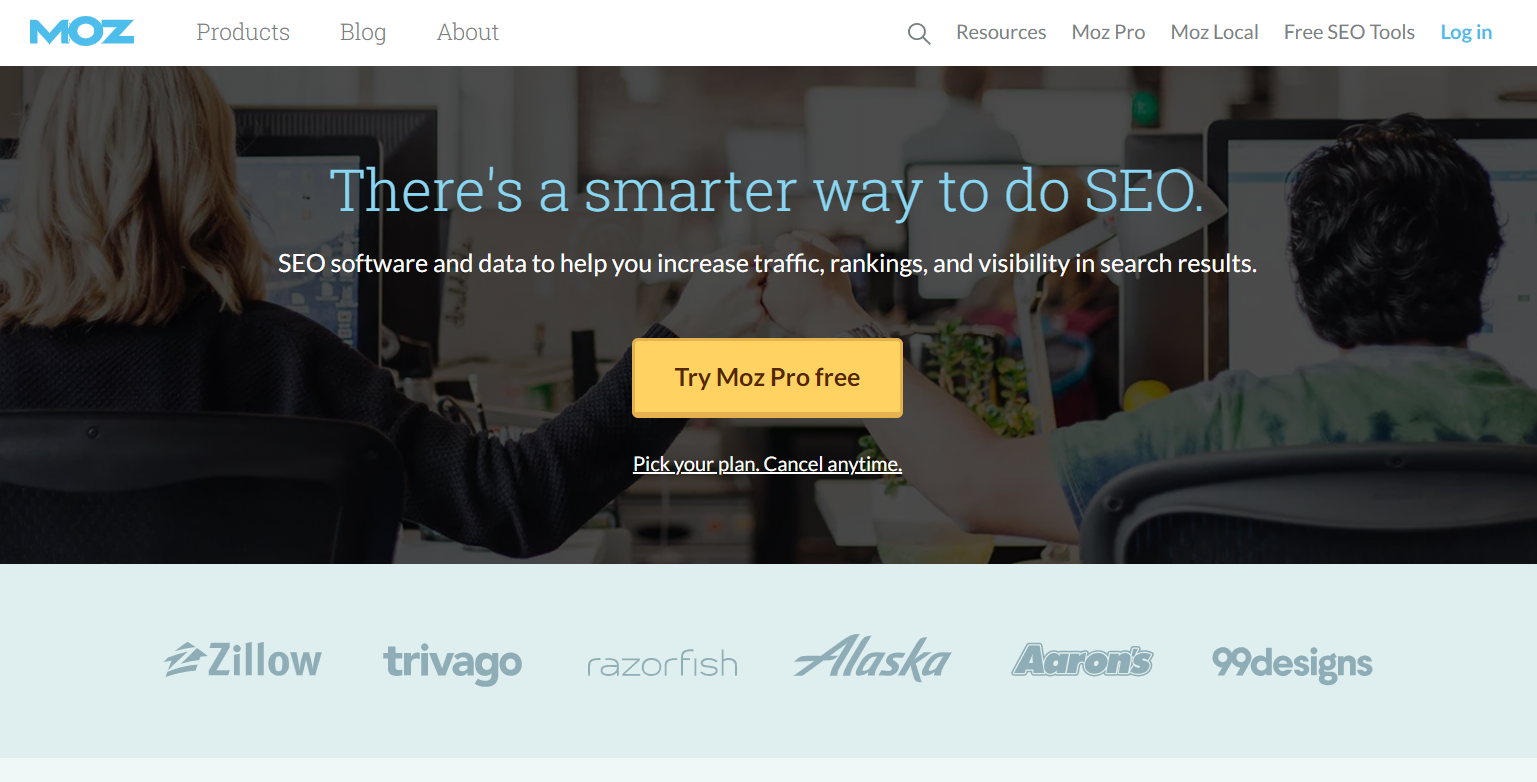
Moz is another all in one SEO solution that has a loyal following among big brands like Zillow, Trivago, Alaska and more. Moz.com provides a specific tool called the open site explorer which works great as a link building tool. It is like a search engine for links where you can find all the links leading to your website. It also shows the relevant statistics like the overall link counts. Domains count that link to your webpage URLs, the value of anchor text distribution and so on. It is a free online tool provided by Moz and you can access it by signing in to your Moz account. 

Ontolo


If you are stuck with not being able to find relevant links for your content matter, you can use on to lo to get a list of links based on topic, link types and any phrase you provide. Ontolo serves good for both novice and seasoned SEO professionals. It also offers additional features that help in content optimizations, advertising, social branding, competitor analysis and more. 

Backlink Monitoring And Analysis

While some tools help you build links, you would also need analysis and monitoring tools to check the validity of these links and make sure they are working towards increasing your site’s SEO. 

These tools help you to identify bad links and avoid search engine penalties. You can also identify more opportunities to grow backlinks and fine-tune your SEO strategy. 

Ahrefs

ahrefs seo tool

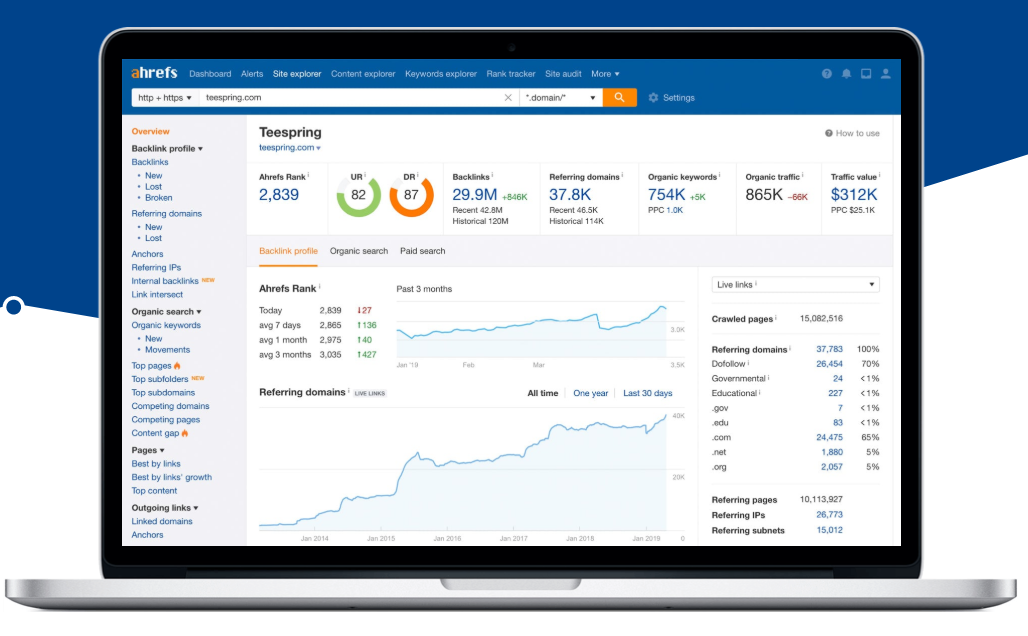
Ahrefs is one of the best-known backlink analysis and monitoring tools available in the market. It stands apart from the crowd with its largest pool live links, huge index, and fast index updates. With its competitive analysis feature, it helps you analyze why your competitors rank higher than you do and find more opportunities to grow your SEO. 

Some additional tools provided include:

  • Keyword research
  • Backlink research
  • Content research
  • Rank tracking
  • Web monitoring

Majestic

Majestic has one of the biggest link index databases available and well known back long checker tools that you can use for building links and checking the validity of your backlinks.

It collects comprehensive link data from across the web to give what it calls link intelligence data. You can start with a free search and get instant results. It also provides filtering options on the link results in terms of language, quality, topic, standards and such. A new option called the link context provides additional analytical capabilities on backlinks. 

Rank Tracking Tools

When you have done all that you need to improve SEO, how do you get to know how effective your efforts have been? Rank tracking tools provide the answer to this question by helping you to check and track the keyword rankings. 

Google Search Console

google search console

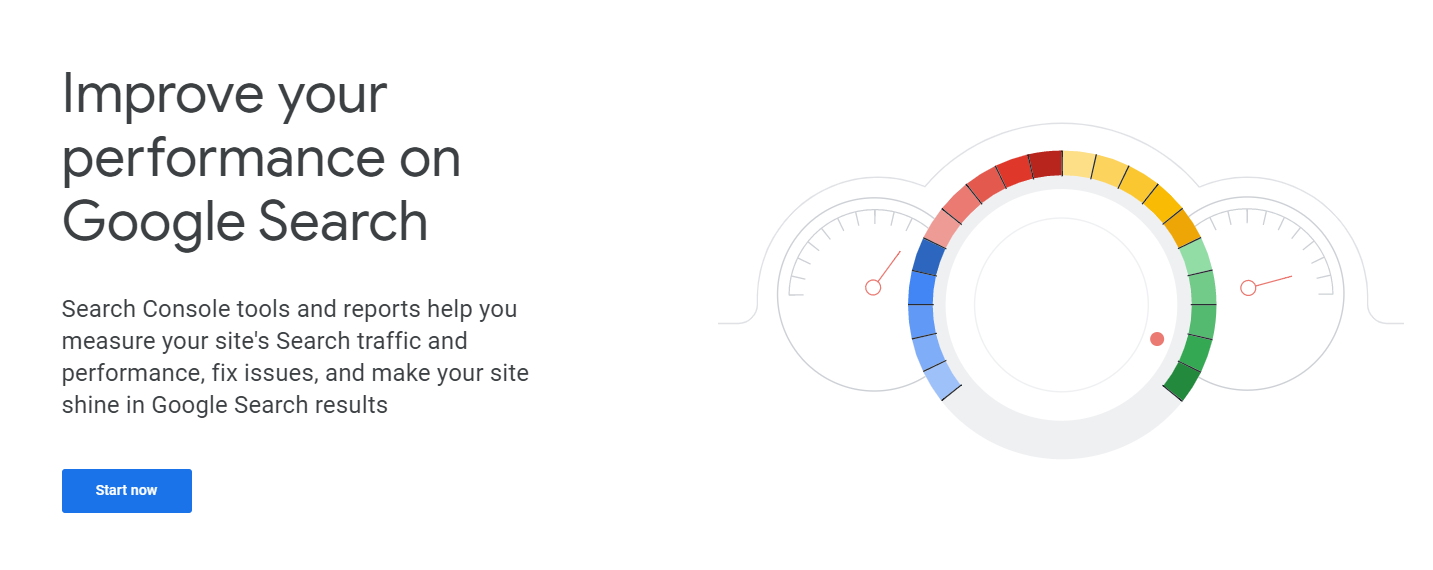
You can use Google search engine’s console page to view which keywords are driving traffic to your website and the click rates, impressions, CTR for each keyword. More features of this free SEO tool include the ability to check crawl rate, robots.text, list of pages that link to your site and many more analytics options. It also provides access to an API for making modifications to crawl errors. 

But the results of this tool can be a little inconsistent with actual data and the tool does not handle spam links properly. 

Rank Checker

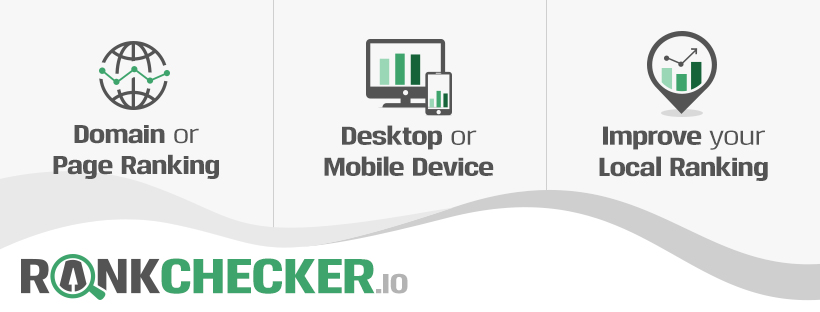
Rank checker is the best SERP tracker tool to check your keyword ranking with respect to the Google search engine. This keyword rank checker helps monitor your site’s keywords rankings on Google search results and is available in multiple languages. The results are also more accurate and can be obtained based on the geographical region of your choice. 

Some of the notable features are:


  • Google rank checker


  • Desktop or mobile-specific rank tracking
  • Location-specific rank checking 

The Next Steps

So, these are a few tools you need to get your hands on, and we are sure, your website will be perfectly optimized for SEO. Although optimizing your website for SEO and attracting the best ranks on Google is a continuous journey, these tools will ensure that your journey is worth all the effort.

Do you have any queries? Did we miss any important tool on this list? Let us know in the comments below.

How to get more visitors to your site?

There is a simple rule for online businesses: More visitors, more success. If you play by that rule, you can be sure about being successful with your online business.

If you are not yet sure about the quantitative measure of your website traffic, you should! Site traffic is pivotal to business success online because it provides conversion opportunities.

We believe that real traffic is the halfway mark for a successful sale. That belief is rooted in conventional business methodologies. If customers can pay heed to your selling tactics, they might buy your product too.

To increase traffic for a website, you first need to know “how much traffic does a website get?” and its pattern. You can do so by getting a simple site visitor counter plugin for your WordPress site.

Once you have a visitor counter or a counter plugin like the visitor counter plugin in place, you know your visitor count and the trends and patterns of the volume of visitors.

With that sort of information, you can then work on the next step that relates to “driving traffic to website”. To increase traffic, you can then focus on a few strategies that we are going to discuss ahead.

Get more visitors to your website!

Let’s discuss what’s pivotal to your online success: The little things that you can do to bring more traffic to your website. You can focus on bringing traffic through organic means before you tend to favor the advertisement strategies over organic methods.

You need to know one thing: Your website is as strong as the lowest number of organic visits you can get. If you cannot generate organic visitors, you are never going to get branded traffic either.

Starting with the basic concept of traffic generation through organic measures, there is the ‘trifold base concept’. You can follow the three important base rules and we are sure you will have higher traffic in a matter of a few days.

1.  Improve your search ranking

Organic traffic depends on the measure of how much you can be discovered through search engines. If your website or webpages appear on the tenth page of a search query result, you can be sure of one thing: Low traffic.

If you are having problems with search rankings, we have a few tips for you. You can start working on a few things related to keywords, content curation, and social integrations, and we are sure there will be results.

i) Keywords and content: 

If you start using keywords right, you can be a website as simple as this, yet have more traffic then most established businesses. The simple rule with keywords and content is about making sure that your content includes words or phrases that might be the search queries related to your content or its topic.

If you need help with keywords in particular and your SEO strategy as a whole, we recommend that you start using an SEO tool or a plugin like the Yoast or SEMRush.

2.  Lighter Website, User-friendly interface

If you want to make sure that your acquired traffic stays, you need to make sure that your website is lightweight and user-friendly. We believe that a lighter website helps with traffic retention.

Websites that are heavier definitely take a longer time for loading and hence, have higher bounce rates. You can make sure that your traffic stays by keeping your website light.

3.  Link your social channels nicely

Google and other search engines pick a lot of data and suggestions from social media platforms these days. You can make sure that you are not missing out on that by linking social media platforms to your website and its content.

You can make sure of two things:

  1. Your visitors can share your posts on their social channels. You can add social share buttons to your website with a simple plugin to allow users to share your content directly to their desired social media platform.
  2. Share your own content to your social media accounts and pages with appropriate hashtags and keywords in the description. This makes your social media post readily available to search engines thus, bringing traffic to your website eventually.

Conclusion

You can start getting more traffic to your website by working on your SEO strategies. Adding more keywords and refining and narrowing down your keyword list can help with better search rankings and give you more traffic too.

Everything that’s new with WordPress 5.4

Do you know what’s new with WordPress 5.4? If not, you have come to the right place. We are going to go through everything that’s new with this version of WordPress in this article.

With every new WordPress release, be it an update or a completely new product, there is always a great deal of hype that surrounds it. The reason being WordPress’s own unparalleled popularity among digital businesses.

Being a part of the WordPress Beta Tester program, we knew a lot about what was to come, but we waited for the real version to be through to let you know about the new features too.

If you have been thinking and speculating about what’s coming, the wait is over and you can help yourself with whatever has come with this new WordPress update.

The update came on the 1st of April and there has been quite a buzz about the features related to WordPress block editor. With the new update, we know one thing for sure, you can create content better on your website now.

What’s new with WordPress 5.4?

There have been quite a few improvements to the overall performance and the interface of WordPress in this latest update, but a lot has been focused on the improvement of the content editor.

There have been a few tweaks to the privacy options and developer tools as well, but the part that has made the buzz rise is the content editor and block options.

1.  The Fullscreen Editor

WordPress has just made its editor go one scale higher with the fullscreen mode being made the default content editor mode. This makes editing easier and focused.

If you have the WordPress admin panel open on an updated version, you will have access to this feature. On older versions, you will still see the last version of the editor you had used.

In case you want to disable the fullscreen mode in the editor, you can do so by simply unchecking the Fullscreen option in the editor settings.

2.  New Social Icons Block

If you want to link your social media accounts with your posts, specifically, integrate your social accounts to every post. You can do that without a plugin now.

The new update allows you to add a social icon block, containing links to your social media accounts, anywhere in the post. This gives your social accounts better exposure.

The social icon block only adds links to your social media accounts and does not allow social media sharing options. For that, you will still need a WordPress plugin.

3.  Buttons Block

WordPress has upscaled from Button block to ‘Buttons’ block. That means you can add more buttons now. Multiple buttons side by side allow more interaction opportunities and thus, serve the CTA purpose better.

You can design and style different buttons with different gradients, colors, and purposes to add value to your CTA approach on your website with this new WordPress download.

4.  More Color Options

The new WordPress update gives you more control over your content and its appearance. With the new update, you have more color options than ever before.

Now, you can change the color of a selected piece of text in a paragraph compared to the earlier option of changing the color of the text of the whole paragraph.

5.  Block Select Tool

With the editor getting a bucket load of new features, this is another great thing to happen to WordPress with this new update. Now you can simply select a block selection tool and go through the editing process easier than before.

This particular tool is helpful when you are dealing with nested blocks. You can thus avoid any inconvenience caused by random clicks in the previous versions.

6.  Drag and Drop Featured Image

You would remember selecting and manually uploading an image to the featured image section of the content editor? Well, it’s no more the same two-step task.

You can now simply drag and drop an image to the featured image section and do the task without much hassle.

7.  Better Mobile Editing Experience

If you ever had to edit a blog post using a mobile device, there was this annoying problem with the block setting toolbar constantly moving around and bugging you out.

Now, there is a fixed toolbar at the top. You won’t have to cope with the mobile and motile toolbar now. Easy editing from the mobile!

8.  Image Size selection

Compared to the feature being absent in the previous versions, now you can simply select the size of the image in the gallery block. Previously, there was no option for image size in the gallery block.

9.  Improved Latest Posts Block

Now the latest posts block includes the featured image too. In all the previous versions, there was no featured image in the latest posts block.

10.  Embed TikTok Videos

With the rising popularity of TikTok, WordPress allows you to embed TikTok videos to your website the same way as the Youtube videos are embedded. Interesting. Isn’t it?

11.  Updated Privacy Tools

The new WordPress update has better privacy tools and options too. Now you can export your data in two different types of files, HTML and JSON. The HTML file has a table of content at the top for easier navigation.

Moreover, export now includes session tokens, community event data, and custom user meta.

Our Verdict

The new WordPress update can be a hit if you know how to use it with expertise just like this website has! You can have better control and you can excel by exercising that control easily. Good Luck!

Best WordPress plugins of 2020

When you own a WordPress website, you need WordPress plugins to complement the functionalities of your website too. Having an online business isn’t about having a website on display only.

WordPress websites require plugins for smoother functioning and improvement in the interface. Without these plugins, your website would lack the necessary functionalities to run properly.

The choice of plugins varies with your business niche. You might need currency converters if you are a casino website, you would want blog clocks if you are global, and you might want a visitor counter if you want to keep track of your business statistics.

Now, with all those different plugins that you might require, you have a lot to do when it comes to choosing the right one. You have to look through numerous niches, and then numerous plugins for each niche before you finally decide on choosing one of them.

That sounds like a daunting task if you have got other things to do as well. We thought we could help you with that. From all the great plugins available online, we have chosen the ones that serve the most vital functions for different business niches.

Best WordPress Plugins

In the coming age, say 2020, there is more to plugins than one particular function. You have to look at the plugin combined with its functions and compatibility to decide if it works for you or not.

If you spend that much time comparing plugins, you might have very little left for real-time applications. We have you covered on this. For the year 2020, we have these 12 plugins that you would surely love to have on board.

1.  Optimole
optimole plugin

One of the first and foremost things that you should focus on your WordPress website is speed optimization. On that notion, optimization for images and graphics is the tougher part.

Don’t worry though, we have a WordPress plugin for that too. Optimole is just perfect when it comes to speed optimization relative to images on your website.

 Optimole covers all device types to make sure that images are loaded for each user depending on the device they are using. While it serves images to the users from a free CDN, it makes sure they are suited to all network speeds and all screen resolutions.

In addition to that, Optimole allows you to add watermarks to your images and protect your image properties. With easy tracking and easy monitoring in addition to retina and WEBP support, Optimole covers all bases! 

All you have to do for Optimole to make your life easier is to sign up for Optimole, link your WordPress site, and leave the rest to it. Happy optimizing your images!

2.  Wordfence

wordfence

Securing your website becomes a dire need and necessity when you are working with traffic from multiple sources. With visitors from different demographics visiting your site, you can’t be careful enough.

How do you keep your site well-protected and yet accessible to all? You could do that easily with Wordfence. It, being one of the finest firewalls, helps you protect your website against any malicious attacks.

Where a cloud firewall can leak data, lose encryption, and be bypassed, Wordfence works on an endpoint firewall. This protects your website from any breaches relative to data stealth, bypassing, and decryption of encrypted data.

With live traffic optimization, leaked password protection, advanced manual blocking, country blocking, file repair options, and secured two-factor authentication, you have the perfectly secured firewall with Wordfence.

Wordfence keeps itself updated with regards to new viruses and breach methods being invented. With its premium features, you can have flawless protection against malware and attacks.

3.  RankMath
rankmath seo plugin

If you don’t know how you are performing, you are literally wasting your time doing business online. Online businesses are all about knowing your standings and the standings of your competition.

Knowing this very discipline is called Search Engine Optimization. We recommend RankMath for SEO and content optimization of your website. It is compact yet comprehensive as a WordPress plugin for SEO.

You don’t need to go through lengthy setups and installation processes with RankMath. It is as easy as one-click and done. With an easy to follow setup wizard, you can have it set up without the need of any digital expertise.

With an unmatched modular framework, RankMath provides you with an immaculate interface for interaction with your SEO statistics. The code for Rankmath is optimized for speed and you can be sure that all this goes on your site without affecting its speed and performance.

With XML sitemaps, rich snippets, breadcrumb navigation, 404 monitoring, local and advanced SEO, automatic redirection, multiple keyword optimization, and in-depth SEO analysis, RankMath has it all.

Sign up for RankMath now or get a free demo to know where you stand with your Search Engine rankings and what steps you can take to make it all better.

4.  Visitor Counter Plugin

visitor counter plugin

A WordPress visitor counter plugin is not complex and is not multipurpose. Then why do we emphasize that you have one on your WordPress site?

It is about starting to know your website and its audience. If you are just starting or even if you have been long in the business, you can have a simpler way of knowing your audience volume then those graphs and analytical reports.

You can know your audience volume simply with a Website counter. It is just a WordPress visitor counter that keeps count of people who visit your site.

You can then access this information and analyze it for particular days or hours of the day to determine when your business tends to attract high volumes of the audience and when you can try to add to the audiences with added efforts. 

Visitor Counter Plugin is free, it is easy to install, it comes with zero third party involvement, and it is simple. What else would you require off a WordPress plugin that gives you a count of your website’s visitors?

5.  WP Review

Customer interaction and feedback is pivotal to your business if you want to thrive online. Without customer feedback, potential customers tend to feel withdrawn before they decide on purchasing from you.

With a simple one-click install plugin, you can let customers give their valuable feedback on your website to certain pages. This goes perfect for blog pages and products.

Just like the Casino Oranje online review, you can let customers have their say about your product or services to impact the decision of future customers too.

WP Review allows you to install a user-friendly interface for customers to give or view reviews for your content on the website. It is minimalist, has easy access for both users and programmers, and supports shortcodes as well.

With WP review, you have 100% fluid responsiveness, customizability, translation readiness, 2 distinct review box templates, and easy CSS modification to fit your WordPress theme needs too.

Download WP Review for free now and let your users interact with your content on your website and make an impact with their reviews. That would be your first step towards branding.

6.  OMGF: Host Google Fonts Local

OMGF | Host Google Fonts Locally

Want to have numerous fonts for your WordPress website? You can do that the tougher way or the easier way. We would be telling you the easier one here though.

With OMGF, you can download all the fonts that you want for your WordPress website to the content folder of WordPress. With that, a stylesheet is automatically generated for those fonts.

OMGF automatically includes the stylesheet to your headers, provides a 100% compatibility with CSS and JS optimization, decreases your pageload time, and leverages browser cache as well.

OMGF automatically detects what Google font you are using, finds the different fonts in different subsets, downloads all detected fonts, generates stylesheets for the fonts and helps you load your fonts asynchronously.

Get OMGF and host all your Google fonts locally on your website that makes your website lighter, minimal, and quicker. What else would you need?

7.  Elementor
elementor page builder

This is down here but it should have been the first one in the list because page-builders are the first thing that you want when it comes to WordPress plugins for your website.

WordPress page builders are the first steps towards owning a great website. They are like your workshop where you create and prepare your business for exposure.

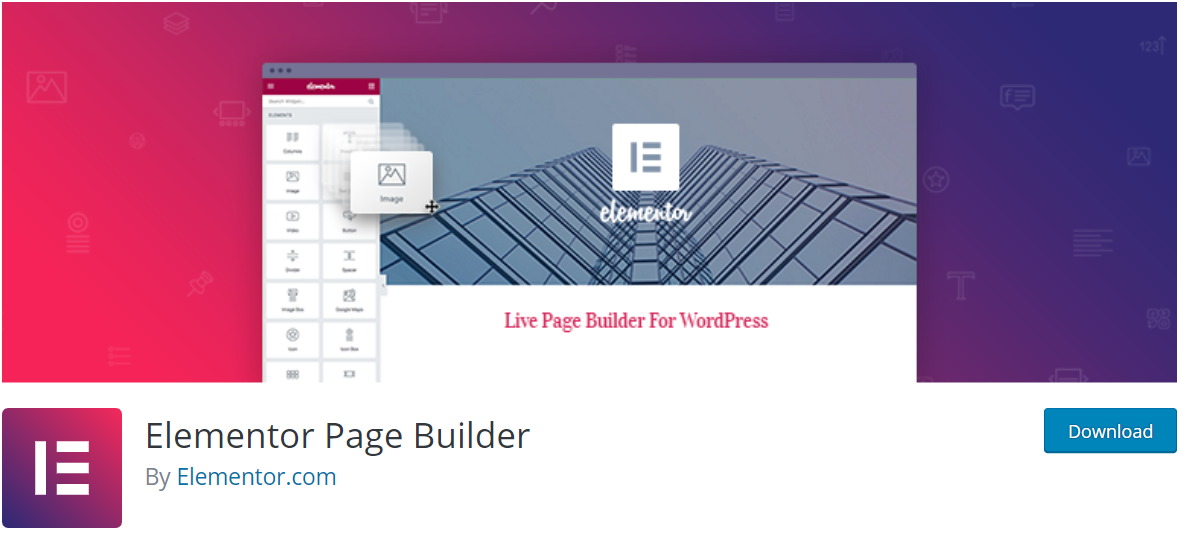
Elementor, without any doubt, is the finest page-builder plugin that you would find over the web. It is virtually an all-in-one solution that allows you to edit your site with a drag-and-drop mechanism.

It has a pixel-perfect design, creates traffic and conversion opportunities, allows you to create any website you want, and enables you to carry out full-scale optimization and customization to your website.

With over 80 different designs, multiple theme integrations, extendable code, and user-friendly environment, Elementor is the perfect choice for a page builder.

8.  WP Rocket
wpRocket wordpress plugin

Rocket speeds are necessary for websites when they are dealing with potential customers. Visitors are all okay with slower loading speeds but on the contrary, potent customers want speedy loading and low processing time.

You simply cannot afford to lose a customer because the checkout page took 3 more seconds to load than it should. It sounds absurd and believe us, it feels even worse.

For that purpose, site speed enhancement and maintenance to be precise, we have WP Rocket as a recommendation. It frees you of all speed-related worries for your site with minimal effort.

With page caching, WP Rocket reduces page loading and processing time in addition to adding value to Search Engine Optimization assets for your webpages.

Cache preloading, static file compression, images on request, and developer-friendly interface make WP Rocket a great choice as a speed-enhancing plugin.

9.  Contact Form 7

contact form 7

You cannot build an online business without building a prospective, future, and past client contact list. Your customers, be them prospects, recurring, or past, are pillars to your business.

The perfect way to build a customer contact list would be through a contact form on your website someplace. On the home page mainly. A simple, minimal, and clean contact form to capture leads.

Contact Form 7 is our recommendation for that purpose. It helps you manage multiple contact forms that can be customized and tailored according to your needs.

It is easy to install and minimal, to say the least. You can embed the form on any part of any page on your website. You can alter the required content and also enable auto-replies to the captured leads.

No-fuss and yet you have a lead to work with. That is what Contact Form 7 allows you to do. Get leads and communication without the need for third-party involvement or anything.

10.  Really Simple SSL
really simple SSL

Want to switch your website to SSL? There is an easy way to do that. Really Simple SSL! You can convert your website to SSL encrypted form and allows you to run your website over https with all your recommended settings.

To use Really Simple SSL, there are three steps towards configuration:

  1. Get an SSL certificate. This part has to be done by you. Acquire an SSL certificate so that your website can run on SSL.
  2. Activate Really Simple SSL.
  3. Enable SSL with one click.

It gives you an option to secure your content with a mixed content scan, enables HTTP strict transport security, provides advanced security headers for protection, and provides you with premium support in case you have questions.

Opt for Really Simple SSL and you have already done your work with regards to SSL encryption and enablement. Easy and simple. Isn’t it?

11.  All-in-one WP Migration
All-in-One WP Migration

Want to export your WordPress website and have no technical coding knowledge? It should not be a problem if you have the All-in-one WP Migration plugin.

The plugin simply exports all your data, the website, and the database without you having to know programming or coding specifically. You can also find and replace operations on the database and fix any recurring serialization problems.

With zero limitations on hosting and Operating System requirements, no upload restrictions, zero dependencies, MYSQL and MYSQLI support, WP-CLI integration, and much more, All-in-one WP Migration is a must-have.

Get it now and cut down on your worries relative to the export of your data and WordPress website between servers. 

12.  MailChimp for WordPress
Mailchimp for WordPress

Want to connect your MailChimp to your WordPress? This can’t get any easier for you. MailChimp connected to your WordPress presents you with a great opportunity to stay in contact with your customers.

It is specifically tailored for Newsletter campaigns for your business, thus allowing you to send Newsletters to your customers with the greatest of ease and without a hitch.

The plugin allows you customization, further development, extensive support and documentation, add-ons with the plugin, and translation enablement.

Get MailChimp for WordPress today and start to stay connected with your customers regularly. Perfect. Isn’t it?

Conclusion

All these plugins are great for all different niches of business. You can add them to your site and they will provide the highest value to your website.