

Essential WordPress plugins for new websites
WordPress plugins aren’t mere accessibility tools for your website. Rather,
they are pivotal to the smooth functioning and user-friendliness of any
WordPress website. If you are not familiar with how these things usually
pan out, we have got it covered for you.
To build up before we jump to suggestions regarding great plugins to go with your new WordPress site, there is a lot to know about plugins and their functionalities. Plugins are what make your website function smoothly and present the user with a better interaction opportunity.
Plugins may range from simple visitor counters to complex contact form creators, but you need to choose wisely for it is what builds your site. We have always found out that a website is as strong as its weakest plugin, and that makes the part about choosing plugins wisely even more important.
Although you may be intimidated by a large number of plugins available all across the web, we have got you covered on this. All you have to focus on now is your business niche and your needs. The choice of WordPress plugins is totally subject to site needs, niche, and preferences.
Without extending much, let’s head on to all the finest plugins you may need for a new WordPress website that you have already built.
Note: These plugins are just post-site development suggestions.
Contact Form 7
Every WordPress site needs contact forms and so would you with your business site. Be it a data collection form with multiple fields or a simple email bucket form for email subscriptions, you are going to need a contact form builder to grow your contact lists for email campaigns.
Contact Form 7 allows you to construct and place forms of all types on any page to your WordPress site. You can then connect the form to any other plugin or email marketing tool through an API. Smooth to say the least.
This open-source plugin allows you to create, edit and use contact forms on any page on your website. Moreover, it allows you to have any number of fields, specified by mail tags, in a form. Although it does not record or save any responses sent to it, you can opt for flamingo for that purpose.
Contact Form 7 also has an autoresponse feature that you can turn on. The plugin allows you to edit the content of auto-response email(s). You can send up to 2 emails as an autoresponse. The second email, though, is sent only when the first one has been successfully sent.
The plugin also allows you to add a contact form to a text widget instead of a post widget. Moreover, the plugin enables you to add the contact form to your template files and comes in different languages. Happy using the plugin with this many functions.
Yoast
Working with a WordPress website and not knowing your SEO would carry no sense whatsoever. For every WordPress site, SEO is just like an adrenaline shot. Boosts performance and enhances basic working capacity and capability. This Spanish gambling website could vouch for the miracles that SEO can doo.
Yoast could well be your best buddy when it comes to Search Engine Optimization. The plugin allows you to take great care of your SEO and helps you make sure that you are never behind on Optimisation of your content in all aspects.
The plugin comes with a lot of features that everyone associated with Search Engine Optimisation would love. The impressive features include, but are not limited to:
● Optimization for keywords, keyphrases, and relative synonyms.
● Fast indexing and reach for search engines i.e. Google and Bing.
● Keen check on outdated content and pages.
● Readability check and complete control over all breadcrumbs.
● Duplication check and inbound link suggestions.
● Content insights, Redirection management, and focus keyword export
for over a year’s data.
This surely makes Yoast the glittery plugin when it comes to SEO. It comes both in Premium and free options. You can choose whatever suits you best.
Monster Insights

Insights are a pivotal part of your business, especially when you are working online with a WordPress site. Out of over 1500 Insight plugins, Monster Insights provides you with apparently everything that you may ever require relative to analytical insights.
With Monster Insights, you can be sure of having the best Google Analytics plugin for your website. The plugin comes loaded with numerous features and is always improving on them with time.
Monster Insights allows you to set up universal tracking across several devices and platforms, achieve enhanced e-commerce tracking, make your site and analytics in binding with GDPR and all other privacy regulations and helps you in the affiliation of links and ad tracking.
You can also see your analytics reports in your WordPress dashboard, look up custom dimensions, set page-level analytics and look them up, get realtime statistics and team up your site with Google Optimize to grow further. Surely an all-star, ain’t it?
MailChimp

Although we did suggest you Contact Form 7 earlier, it has to be aided with MailChimp for better performance. MailChimp provides you with the best email automation services as a plugin with WordPress.
It is said that email marketing is the best sort of marketing that you can do to enhance branding and MailChimp can be your best bet in doing so. The free plan of MailChimp aces all other Email Automation plugins and makes it your first choice as a new website.
MailChimp can also build contact forms, but we suggest that you build contact forms with Contact Form 7 and link them through the existent API to MailChimp for a smoother website experience for the users.
MailChimp comes with a huge number of features that make it a perfect choice for a new WordPress website trying to find its feet online. It allows you to:
● Securely carry out all your email correspondence and marketing
campaigns.
● Avoid being spammed or blacklisted as a contact.
● Integrate to over 300 applications for a smoother functioning and a
better experience.
● Stay GDPR and privacy compliant while creating and sending email
blasts or automation.
● Use multiple triggers and filters for your automation processes.
● Make use of existing templates and drafts to create seamless emails.
● Stay tension-free with access to support 24*7
You can thus stay connected to both, your customers and your business, with the use of MailChimp.
WordFence Security
When you own an online business, you have to keep a keen eye out for the security of your site and its assets. Firewall protection, thus, becomes a vital part of the necessity list for a new WordPress website owner.
WordFence helps you stay clear of all sorts of malicious traffic and uses a real-time firewall rule and the malware signature is updated through Threat Defence Feed, both in free and premium plan.
Moreover, with WordFence Security, you can enjoy realtime IP blacklisting feature in the premium plan that allows you to keep unwanted traffic away from your site. You are also secured from all sorts of brute force attacks through login attempt limitations.
The Security scanner regularly checks core files, themes, and plugins for malware or possible threats. Repairing of overwritten files with pristine original ones and removal of files that don’t belong well within the firewall is also routinely performed by WordFence. You can simply say that your website is in safe and sound hands with WordFence taking the guard!
Updraft
Are you backing up your WordPress site in case it crashes? If not, wither
you are new to it or you are just being irresponsible. One simple bug or
virus can take all your WordPress site down and then you would have to
start from scratch if you don’t back up.
Updraft and Updraft plus get you the backup you want for your WordPress
site. Updraft supports both manual and automated backups at regular
intervals. You can back up files and databases on separate schedules for
your ease.
Updraft enables you to store remotely or on the Updraft Vault, both features guaranteeing unparalleled security and consistency. Moreover, it comes with monitoring, reporting and migrating features that keep you safe and well ahead of any calamity that might hit.
WP Rocket
Who likes a slow website? If you think you can avoid that without taking steps, it is a misconception. WP Rocket can be a night saver for you. How? Let us explain.
With every passing moment and every increasing visit to your website, you are gaining cache that slows down your website and causes speed and efficiency issues.
WP Rocket does exactly as the name suggests. It rockets your WordPress website’s speeds to new levels. It removes all prior collected cache and rids your website of unwanted carriage and load.
Makes website smoother and more efficient along with the added benefit of enhanced user experience. Along with all this, WP Rocket also has baggage features.
● Improves indexing
● Improves page load time
● Applies lazy loading to images (Images only shown when visible to
the user on their browser)
● It comes with hooks, helping your developing team extend its features
and functionality.
MemberPress

MemberPress helps you build an online community and some sort of membership portal. As said ‘Don’t sell on social, instead build a community’, you must deploy an online community or membership space to do better.
With MemberPress comes with an easy setup that takes no time; you can easily start making your own online community without much time spent. It comes with premium community forms, powerful access rules and regulatory measures to keep everything in check, and flawless security to go with it.
Moreover, Memberpress is accompanied by beautiful pricing pages, compatibility with one and all themes, timed release of content a.k.a dripping, a number of affiliate programs, highly relevant and clear reporting, and full-blown subscription management.
Is there anything that you don’t get with MemberPress?
RafflePress

When you own a WordPress website, you have to be looking out for ways to gain more and more traffic. One great and proven way is giveaways. The method has worked for years and still bears fruit when deployed.
RafflePress allows you to carry out this very task in the most efficient manner. The plugin comes with an easy drag and drop builder for creating giveaway campaigns. If not that, it gives you the choice of choosing from a number of viral giveaway templates as well.
With 1 click entry, fraud protection, viral sharing, social media integrations, Marketing and CRM integrations, giveaway landing pages, and the added bonus of tracking and retargeting, RafflePress becomes a perfect choice for this purpose.
CSS Hero
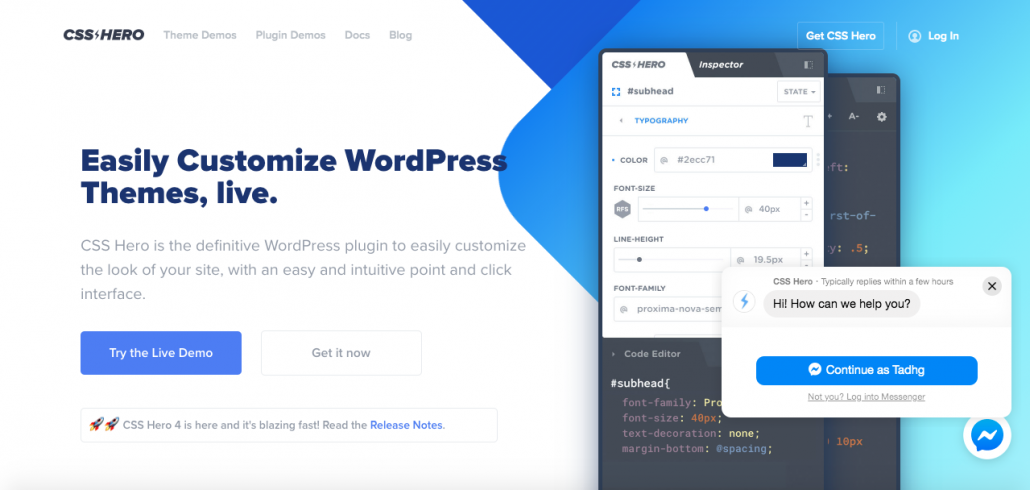
Every WordPress theme requires CSS for visual appeal and editing. CSS Hero helps you with that particular part and makes life easier for you as a WordPress site owner.
CSS Hero comes with a responsive customization feature that allows you to customize the theme in any manner you wish to. Moreover, it gives you device-specific previews and edits to further ease you of any editing burdens.
With CSS Hero, you also have no fear of breaking things up or affecting the responsiveness of certain features. Its desktop-only feature makes life easier for you and anyone who has to edit the theme and then end up with certain features that are broken on other platforms.
CSS Hero enables you to connect and integrate with all your favorite WordPress tools and plugins in addition to the allowance for full control over the visual appearance of your website. Win-win?
LiveChat
Your WordPress business becomes 100 percent more attractive and seemingly authentic if it owns a live chat option. LiveChat, thus, helps you to host a live chat support option on your site to make users feel at home.
You can use LiveChat to chat with customers manually or automate responses relative to questions. Both features allow you to have better control over your site and your business.
LiveChat comes loaded with features to make your life easier as a business owner. It allows you to customize chat options, messages and message options as per your need. In addition to that, it also enables you to improve customer engagement.
With a full-fledged secure environment and vast customizability, LiveChat makes you worry about certain other important matters. You can also obtain analyses and reports relative to LiveChat from within, thus knowing how it all pans out.
Visitor Counter

Among some complex plugins, this one is just for you to know where you stand. Instead of using a complex and expansive analytics plugin here, you could prefer a simpler one that helps.
Visitor Counter is a WordPress visitor counter plugin that simply counts out the visitors on your site. You can then use the data from this website counter to check for when you have the most traffic and when you lack it.
With this, you afford to have a WordPress visitor counter that is simple and helps you know your standings without the need of doing a lot. Simple and sedate: That is what the Visitor Counter is.
Conclusion
This list should suffice for any simple WordPress website to work and function properly. If you are an E-Commerce store and are looking for assistance with store creation and maintenance, go for WooCommerce.
Apart from that, this list has got you covered!
