
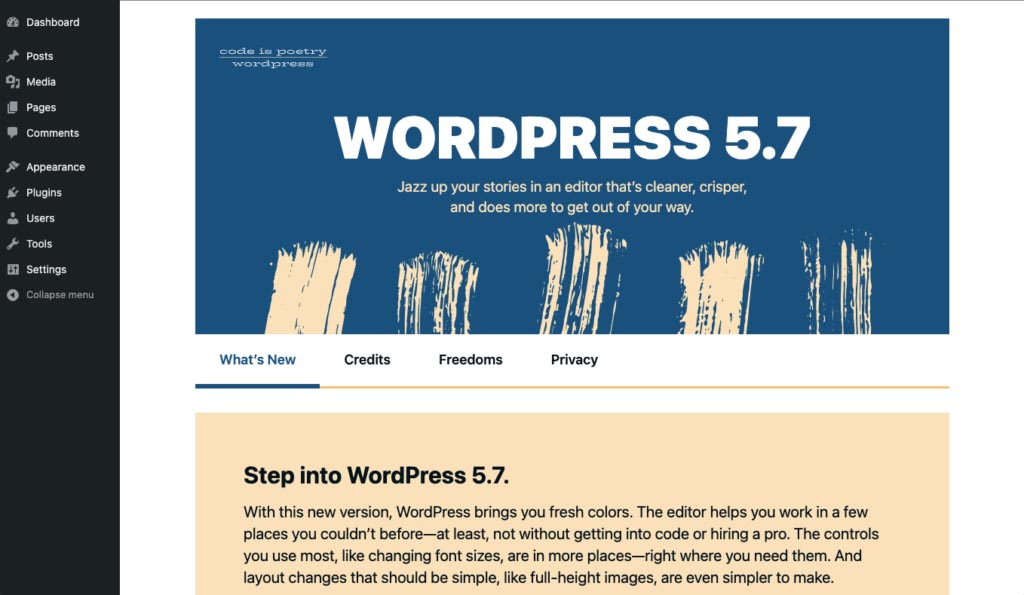
What’s New In WordPress 5.7
WordPress improvements are never at standstill. Users are served with something fresh, fascinating from time to time. And that’s the reason behind its popularity. It would be just to mention that it is being used by over 75 million websites across the globe as of now and these numbers are improving day by day.
Yet again, the world-renowned Content Management System has something new and exciting for its lovers in its newest version. Yup, we are talking about the newly released version ‘WordPress 5.7’. It is the first major release amongst the three releases planned this year.
WordPress 5.7 has got new exciting features added to its core and editor. More than 400 contributors have worked to make this new version reality. It is named Esperenza in memory of acclaimed singer ‘Esperanza Spalding’. Enhancements brought up in the new version will enable you to manage and edit your content in a better way now. The main focus of this released version is site editing.
Let’s take a look at the newly introduced features of this version in detail!
1.Migration From HTTP To HTTPS
HTTPS connection is considered vital for the security of the website as it enables you to secure your files, data, user information, and every major and minor element present on your website.
The new release has not only made it easy to migrate from HTTP to HTTPS but also detects automatically if your hosting plan uses HTTPS or not, and has it shifted from HTTP or not. To migrate to HTTPS you are only required to go through a one-click process that will automatically update the database and URLs. Isn’t it interesting?
2. Editor Improvements
This release has brought exciting improvements to the Gutenberg block editor. These improvements will not only help you to manage content easily but will make the workflow smooth like never before. Let’s get to these features one by one.
Drag And Drop Blocks
Block editor in WordPress enables you to use blocks and add content to your pages using them. WordPress 5.7 has made it easy to add blocks from the inserter as with it you can add blocks and block patterns of your choice by dragging them into the editor.
Change Social Icons Size
Social Icon Block allows you to insert social icons on your pages wherever you see them appropriate. This release has brought improvement in the social icon block as well. It enables you not only to place social icons but also lets you control the size of social icons. With appropriate icon size, you not only beautify your webpage but also decides the amount of focus it will get.
Buttons Block
WordPress 5.7 allows you to align your block in horizontal as well as vertical layouts. You can adjust the width of the button as well.
Reusable Blocks
The new WordPress release has brought enhancements that have made reusable blocks more stable and easier to use than before. They are saved automatically with the post when the update button is clicked.
Full Height Alignment And Font Size Adjustment
Talking of full height alignment this release has made it possible to use full-height blocks on the entire width of the screen. Before, there were only a few blocks that you could use to fill the entire screen. Innovatively use the blocks to create an impressive website.
WordPress 5.7 also allows you to adjust the size of your font in more blocks such as Lists and Code blocks. You can easily adjust the font size without switching between more than one screen. Font size controls are made available within your reach with this version.
3. Simpler Default Color Palette
Gone are the times when WordPress would have a limited set of color schemes. Custom color schemes were not introduced till now. The scenario has changed now as WordPress has enforced a CSS custom property system that has made it possible to add custom color schemes.
WordPress 5.7 has brought forward a simpler default color palette which collapses all the colors to be used in WordPress source code down to seven core colors and a range of 56 shades. All these meet WCAG 2.0 AA recommended contrast ratio when put against white and black. This color palette offers developers to choose from a vast range of light and dark color schemes to dress up websites in an impressive way.
4. New Robots API
It has become easy for developers now to manage robots’ meta tags on the page using the New Robots API that comes with this new release. Also, this new API has got a setting that can be adjusted to control the display of large data files and media from websites by search engines.
This API includes max-image-preview: large directive by default and this will present your image previews at a larger and better resolution in search results. These images are served in Google Discover by Google. This tag is hidden for websites that are not made public.
5. Lazy-load Your iFrames
Lazy load means that images and objects on your site will be loaded only when it appears in the visitor’s browser. This is used to decrease the loading time of the page which in turn helps to boost the speed of your website.
WordPress 5.7 has made it simple to let lazy load your iframes. WordPress will add the loading=”lazy” attribute to iframe tags when width and height are specified. This will create a win-win situation, talking of which do you know how do I win an online casino bonus? So, start using WordPress 5.7 to take advantage of lazy load iframes.
Conclusions
So it’s a good time to upgrade to WordPress 5.7 to start using the new features and good luck with that!

